From git push to a signed, verified deployment on GitLab
A free, hands-on course that teaches GitLab and GitLab CI/CD by building a real DevSecOps pipeline: tests, code and secret scanning, image scanning with a blocking gate, an SBOM, keyless signatures, and a deployment that refuses any image it cannot verify.
- 18 stations
- ~8 h at your own pace
- 75 GitLab features explained
- Free, MIT licensed
Welcome aboard
- say what this course builds and why each step exists;
- choose how you will follow it: reading, practising, or preparing a certification;
- read the tier labels (Free, Premium, Ultimate) used everywhere below.
Most CI/CD tutorials stop when the tests turn green. Real companies need more: they need to know what they ship, that nobody slipped a secret or a vulnerable library into it, and that the thing running in production is exactly the thing the pipeline built. That is what DevSecOps means in practice: security checks woven into the delivery pipeline instead of a review at the end.
This course follows a small but complete project, devsecops-gitlab-lab. It contains a tiny Python web API (Flask), a Dockerfile, and a .gitlab-ci.yml file that turns every push into the journey drawn above. Every screenshot comes from that project on GitLab.com, and every file you read here is the real file in the repository.
The pipeline is a train line. Your commit is the train. Each station checks something; some stations are security gates where the train stops if a check fails. The course itself uses the same picture: the line on the left fills up as you complete stations.
Three ways to use this course
Read the stations in order. Click the numbered dots on screenshots, open the feature sheets that interest you, answer the quizzes. You need nothing but a browser. Expect about eight hours in total, in sessions of 20 to 60 minutes.
Create a free GitLab.com account, fork the lab project, and run the pipeline yourself. Station 7 walks through every file; each station has a hands-on block. On GitLab.com the Free tier includes a monthly quota of compute minutes (400 at the time of writing), which is far more than this lab needs: one full run used about 4.5 minutes.
Station 16 maps the course to the GitLab Certified CI/CD Associate exam. Use the quizzes, the feature sheets' exam tips and the final exam (station 17) as revision material.
How to read the tier labels
GitLab comes in three tiers. Everything this lab needs works in Free. Some features need Premium (team governance: mandatory approvals, code owners, protected environments, merge trains) or Ultimate (consolidated security: vulnerability report, security widget in merge requests, dependency scanning, security policies). Every feature sheet tells you which tier it needs, because in real companies that decides what you can actually use.
Grey cards with a dot are feature sheets. The first line says what the feature is; open the card to see why it exists, how companies use it, how to set it up, its limits and an exam tip. There are 75 of them, all listed in the feature index.
Hands-onGet your own copy of the lab
- Create an account on GitLab.com (free) and turn on two-factor authentication.
- Fork the project: open the lab project and click Fork, then pick your personal namespace.
- Run the pipeline: in your fork, go to Build, Pipelines, New pipeline, branch
main, Run pipeline.
Show a hint
New GitLab.com accounts may have to validate their identity (for example with a phone number or a card) before they can use the shared runners. That is an anti-abuse measure, not a charge.
GitLab in five minutes
- name the building blocks of GitLab: group, project, merge request, work item, pipeline, runner, registry;
- explain how they fit together;
- explain what makes GitLab different from GitHub.
GitLab describes itself as one application for the whole DevSecOps lifecycle: code, tickets, CI/CD, registries, security, deployment and monitoring live in the same product. That is its biggest difference with GitHub, which relies more on apps and third-party actions. For a learner it is good news: everything you need is in one place, behind one left sidebar.
The building blocks
| Block | What it is | In this lab |
|---|---|---|
| Group and subgroup | A team container (like a GitHub organization), nestable without limit: acme/platform/payments. Permissions, CI variables and runners defined on a group flow down. | The personal namespace georges.momo.n8n. |
| Project | A git repository plus everything GitLab adds around it: work items, merge requests, pipelines, registry, environments, wiki. | devsecops-gitlab-lab |
| Merge request | GitLab's pull request: propose merging a branch, get it reviewed, see the pipeline and security reports, then merge. | Merge request !1 |
| Work item | The generic name for tickets: issue, task, epic, incident. They live under Plan, on boards and milestones. | Bug template |
| Pipeline, stage, job | A pipeline is one run of .gitlab-ci.yml. It is made of stages (columns) that contain jobs (shell scripts running in a container). | 6 stages, 11 jobs |
| Runner | The program that executes jobs. GitLab.com provides instance runners; you can also install your own. | GitLab.com Linux runners |
| Container registry | Docker images (and, next door, a package registry for npm, Maven, PyPI…) built into each project, authenticated by the job's token. | One image per commit, plus its signature |
| GitLab Duo | The built-in AI: chat, code suggestions, agents and flows. | Station 14 |
A group is a building, a project is an apartment, the repository is the furniture. Merge requests are the renovation requests that the landlord reviews, and the pipeline is the inspector who checks every renovation before anyone can move in.
How the pieces talk to each other
- You push a branch and open a merge request.
- GitLab reads
.gitlab-ci.ymland creates a pipeline for that event. - Runners pick up the jobs, run them in containers and send back logs, reports and artifacts.
- The merge request shows the result: tests, scans, approvals. A reviewer merges.
- The merge to main starts another pipeline, which builds, signs and deploys.
Groups mirror the organisation chart: one top-level group per company (that is where the subscription is bought), subgroups per department and team. Platform teams put shared runners, CI templates and security variables at the top so hundreds of projects inherit them. Compute minutes on GitLab.com are counted per top-level group.
Hands-onDraw your own organisation
Sketch the groups and subgroups you would create for a company with a web team, a mobile team and a platform team. Where would you define a variable that every project needs, such as the address of an internal registry mirror?
Show the solution
One top-level group acme, with subgroups acme/web, acme/mobile and acme/platform. A variable needed by everyone goes in the top-level group's CI/CD settings, so it is inherited by every project. Team-specific values go on the team subgroup.
Finding your way around
- use the top bar, search and To-Do List;
- create projects and groups and invite members with the right role;
- find your account security settings.
GitLab moved almost all navigation into the left sidebar. The top bar keeps search, quick creation, your counters and your avatar; a column on the far right opens GitLab Duo. Click the numbered dots on the screenshot to see what each element does.
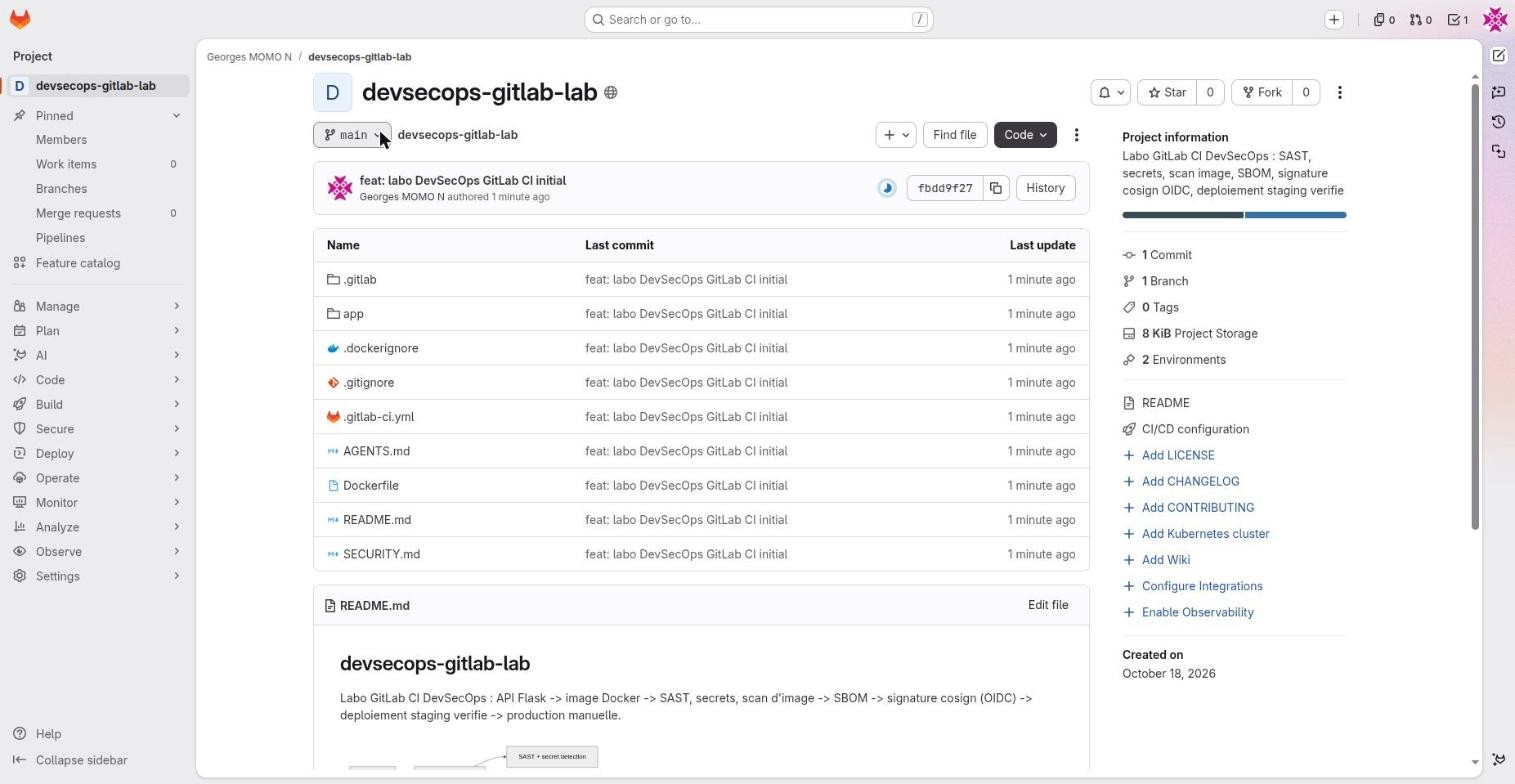
Search and command paletteFreeThe Search or go to field: global search plus quick navigation to a project, a page or a command.
- Why it exists
- Jumping straight to a project, file, merge request or person is faster than clicking through menus.
- In real companies
- A platform team searches every project of a group to find who still uses a deprecated CI template or a vulnerable base image.
- How to use it
- Press /. Prefixes:
>pages and commands,@users,:projects,~files of the current project. On the results page, filter by code, issues, merge requests or commits. - Limits and pitfalls
- Advanced multi-project code search depends on your tier and on indexing; it is more limited in Free on GitLab.com.
To-Do List and countersFreeThe three counters at the top right: issues assigned to you, merge requests (assigned or waiting for your review) and your To-Do List.
- Why it exists
- You see at a glance what is waiting for you: a review request, a mention, a broken pipeline on your merge request.
- In real companies
- Many developers start the day by emptying their To-Do List like an inbox.
- How to use it
- A to-do is created automatically when someone mentions you, assigns you or asks for your review. Click Mark as done when handled. Shortcut Shift+t.
- Limits and pitfalls
- Email notifications are configured separately (avatar, Preferences, Notifications, or the bell on a project).
The + button
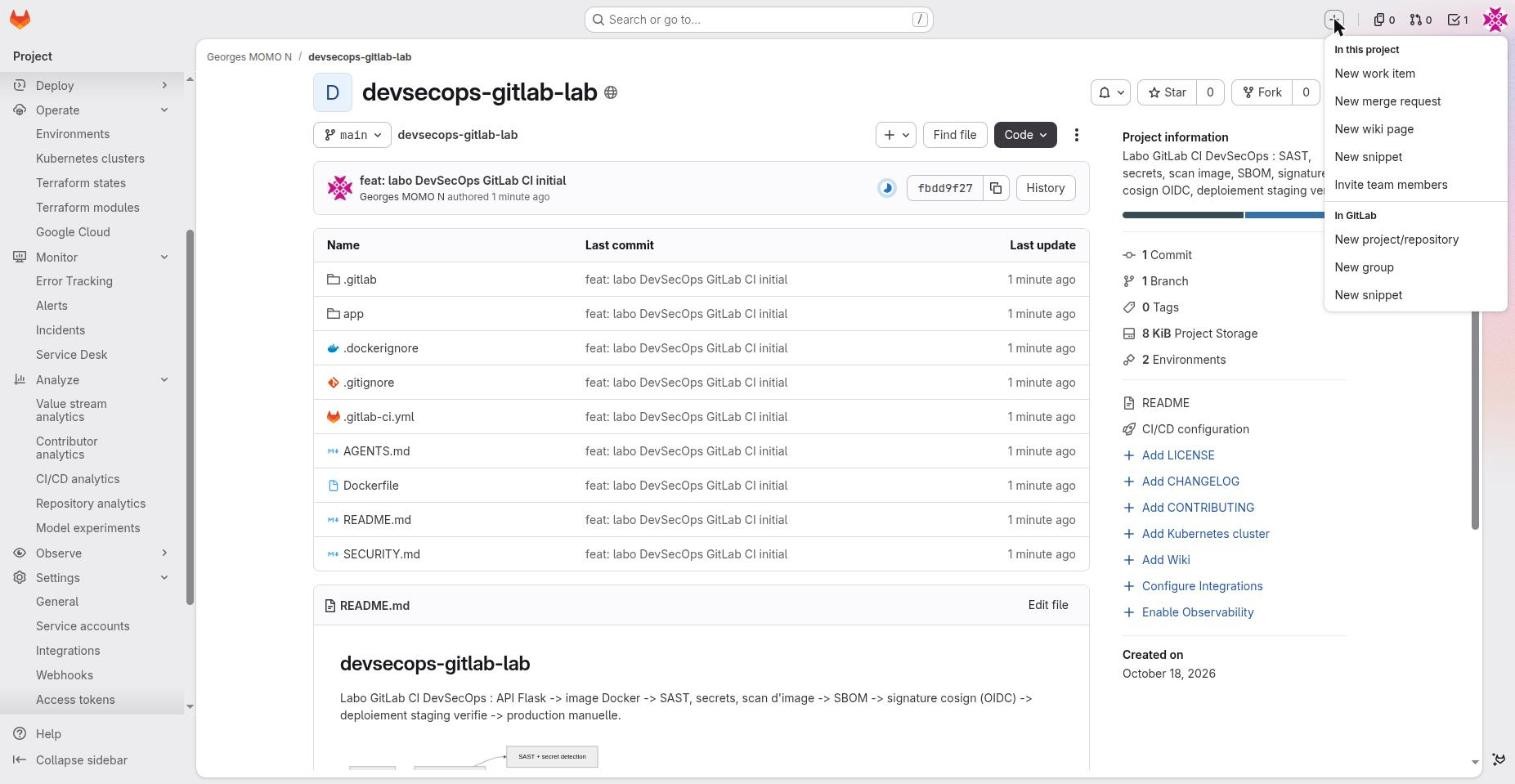
The menu is contextual: the first block creates things inside the project you are looking at, the second block creates things globally.
Groups and subgroupsFreeA space that contains projects and other groups, with its own members, CI/CD variables, runners and settings.
- Why it exists
- Companies organise work by teams and products, and want to define settings once so every project inherits them.
- In real companies
acme/platformfor the infrastructure team, with a group runner and a sharedREGISTRY_MIRRORvariable. Rights given on the group apply to every project inside.- How to use it
- +, New group. Group settings, CI/CD (variables, runners); Manage, Members. A paid subscription is bought on the top-level group.
- Limits and pitfalls
- Moving a project to another group changes its URLs and its registry path. On GitLab.com, compute minutes are counted per top-level group.
Members and rolesFree (custom roles: Ultimate)The people who can access a project or group, each with a role: Guest, Planner, Reporter, Developer, Maintainer, Owner.
- Why it exists
- Least privilege: decide who reads, who plans, who pushes, who merges into main, who administers.
- In real companies
- Developers get Developer (push branches, open merge requests); tech leads get Maintainer (merge into protected branches, settings); Owner is kept for two people.
- How to use it
- Manage, Members, Invite members: pick a role and an expiry date. Access given on a group flows down to its projects.
- Limits and pitfalls
- The role also decides what the CI_JOB_TOKEN can do when that person runs a pipeline. Custom roles need Ultimate.
- Exam tip
- Know the role ladder, and that Maintainer is the default minimum to push or merge into a protected branch.
Giving everyone Maintainer "to make things easier". Maintainers can change settings, merge into protected branches and, through the CI_JOB_TOKEN of pipelines they start, reach more than a Developer can. Start with Developer and raise only when needed.
The avatar menu
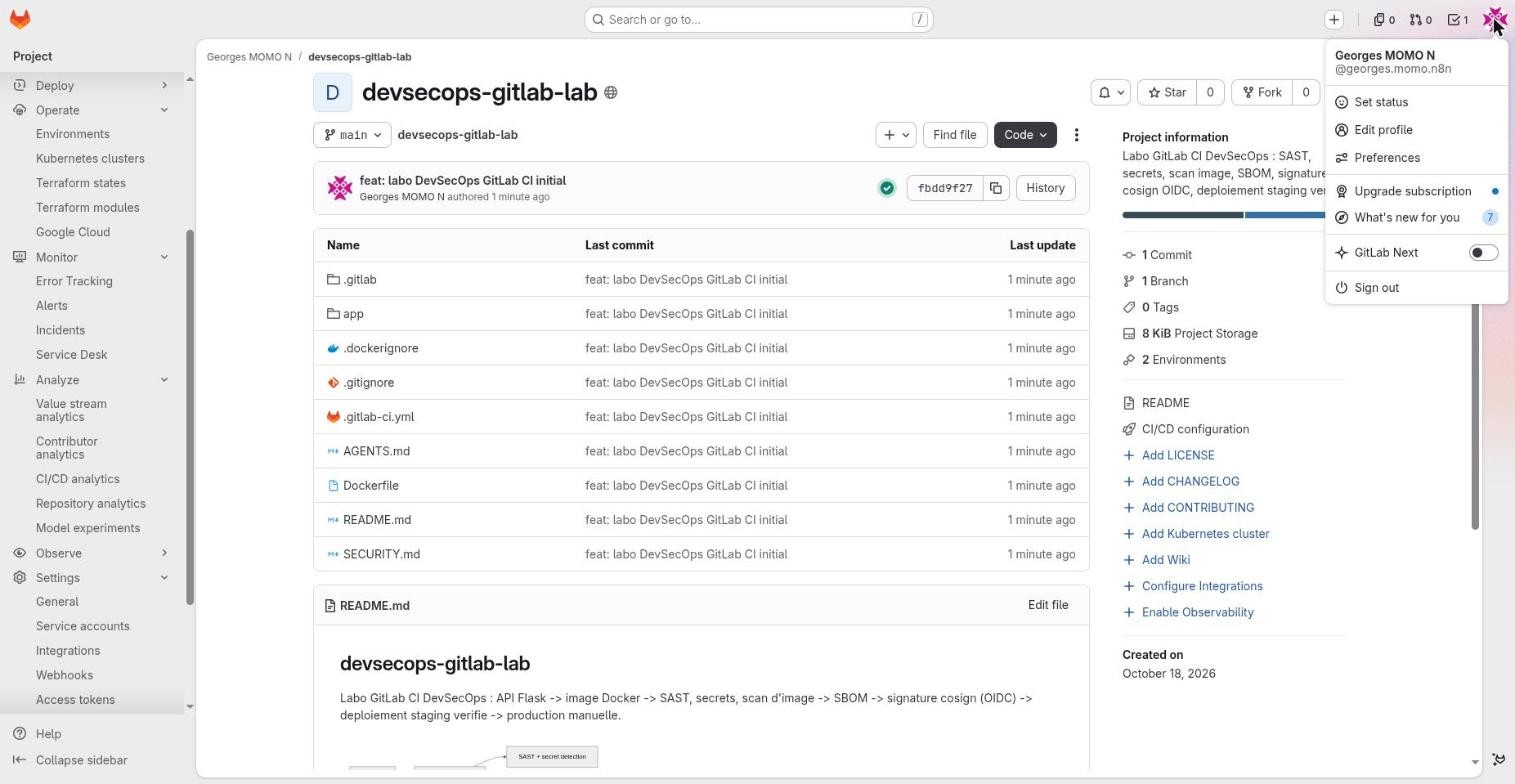
Profile and preferencesFreeThe avatar menu: status, profile, preferences (theme, language, editor), subscription, what's new, sign out.
- Why it exists
- This is where your account security lives: SSH keys, personal tokens, two-factor authentication, authorised applications.
- In real companies
- On day one in a company: turn on two-factor authentication, add an SSH key, set your time zone so log timestamps make sense.
- How to use it
- Avatar, Edit profile, then the left menu: Access tokens, SSH keys, Applications, Account (2FA), Notifications.
- Limits and pitfalls
- "GitLab Next" switches to the preview version of GitLab.com: useful to try new things, not for stable daily work.
/ search, t find a file, . open the Web IDE, Shift+t To-Do List, ? the full list.
Hands-onSecure your account in five minutes
- Turn on two-factor authentication (avatar, Edit profile, Account).
- Add an SSH key (Edit profile, SSH keys) and clone your fork with
git clone git@gitlab.com:…. - Set your time zone in Preferences so log timestamps match your clock.
A project and its sidebar
- find any feature from the left sidebar, whose sections follow the DevSecOps lifecycle;
- explain what Plan, Code, Build, Secure, Deploy, Operate, Monitor and Analyze contain;
- clone a project and edit it in the browser.
The left sidebar is the map of GitLab. Its sections follow the lifecycle: plan, code, build, secure, deploy, operate, monitor, analyze. Here is each one, opened on the lab project.
Branches, commits and tagsFreeCode, Branches / Commits / Tags: the web view of the project's git history.
- Why it exists
- Compare, create and delete branches, see the pipeline status of every commit, create version tags.
- In real companies
- Spot stale branches, find the commit that broke production thanks to the pipeline dots, tag
v1.2.0to trigger a release. - How to use it
- Branch selector above the file tree. Code, Compare revisions for a diff between two refs. A tag starts a pipeline where
CI_COMMIT_TAGis set. - Limits and pitfalls
- Deleting a branch does not delete its pipelines. Protected tags stop anyone from creating
v*tags.
Project information shortcutsFreeThe right-hand column of a project page: description, statistics and links such as Add LICENSE, Add CHANGELOG, CI/CD configuration, Environments.
- Why it exists
- One click to the key files and to the first setup steps of a project.
- In real companies
- When you land on an unknown project, this column tells you whether it has a pipeline, environments, how many branches and tags.
- How to use it
- "CI/CD configuration" opens
.gitlab-ci.yml; "2 Environments" opens Operate, Environments. - Limits and pitfalls
- The "Add …" shortcuts disappear once the file exists. That is expected.
Plan and Code
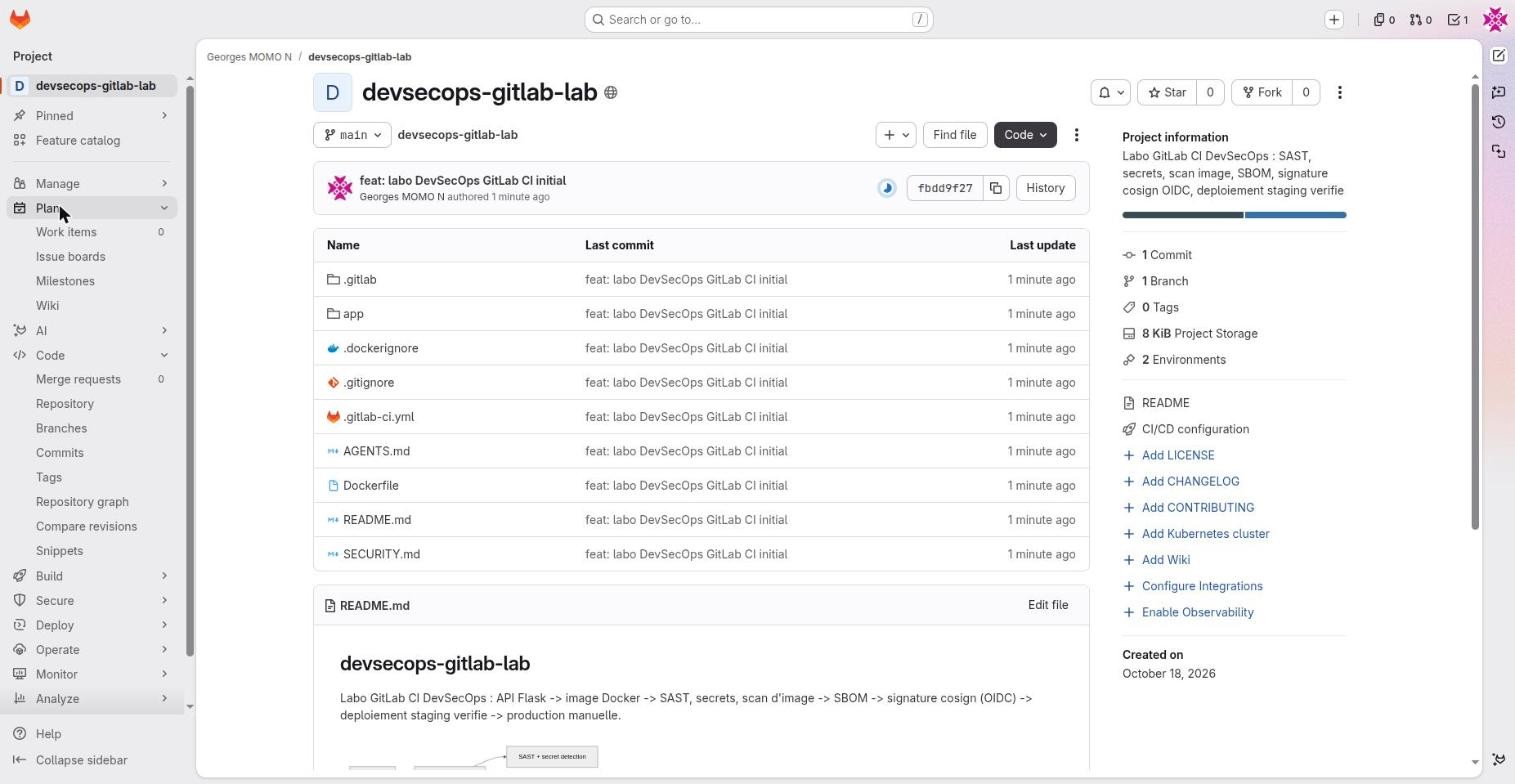
Work items (issues, tasks, epics)Free (epics: Premium)Plan, Work items: the project's tickets. A work item has a type (issue, task, epic, incident…), a status, assignees, labels, a milestone, a weight.
- Why it exists
- Track bugs, requests and tasks, and link them to the merge requests that resolve them.
- In real companies
- A bug reported with the
Bug.mdtemplate, split into tasks, linked to a merge request whose description saysCloses #12so it closes on merge. - How to use it
- +, New work item, or from a merge request. Templates come from
.gitlab/issue_templates/. - Limits and pitfalls
- Epics and multi-level hierarchies are paid features. A confidential work item is only visible to members with Planner role and above.
Issue boards and milestonesFree (scoped labels: Premium)A kanban board whose columns are labels, assignees or milestones. Milestones group tickets by due date.
- Why it exists
- Visualise the flow of work (to do, doing, review, done) and the content of a sprint or a release.
- In real companies
- A team board used in the daily stand-up; a
v1.3milestone with its burndown chart. - How to use it
- Plan, Issue boards, columns per label (for example
workflow::doing). Plan, Milestones, New milestone with dates. - Limits and pitfalls
- Scoped labels (exclusive
key::value) and advanced burndown charts are paid.
LabelsFree (scoped: Premium)Coloured tags on work items and merge requests, defined per project or per group.
- Why it exists
- Classify (bug, security), drive boards, filter, trigger triage rules.
- In real companies
- Group labels shared by every project:
type::bug,priority::1,workflow::review. - How to use it
- Manage, Labels. Scoped labels use
::and are mutually exclusive (paid tiers). - Limits and pitfalls
- Too many labels kill labels: define them at group level.
WikiFreeMarkdown documentation stored in a separate git repository attached to the project.
- Why it exists
- Keep runbooks, architecture decisions and onboarding guides next to the code.
- In real companies
- An on-call runbook linked from incidents; the secret rotation procedure.
- How to use it
- Plan, Wiki, Create your first page. Clone it with
<project>.wiki.git. - Limits and pitfalls
- No merge request review by default. For controlled documentation, prefer a
docs/folder in the repository, like this course.
SnippetsFreeVersioned fragments of code or configuration, shared at project or personal level.
- Why it exists
- Share a script, a query or a config excerpt without creating a repository.
- In real companies
- A runner diagnostic script shared in the platform project.
- How to use it
- Code, Snippets, New snippet; visibility private, internal or public.
- Limits and pitfalls
- Never put a secret in a snippet: public snippets are indexed by search engines.
Build, Secure and Deploy
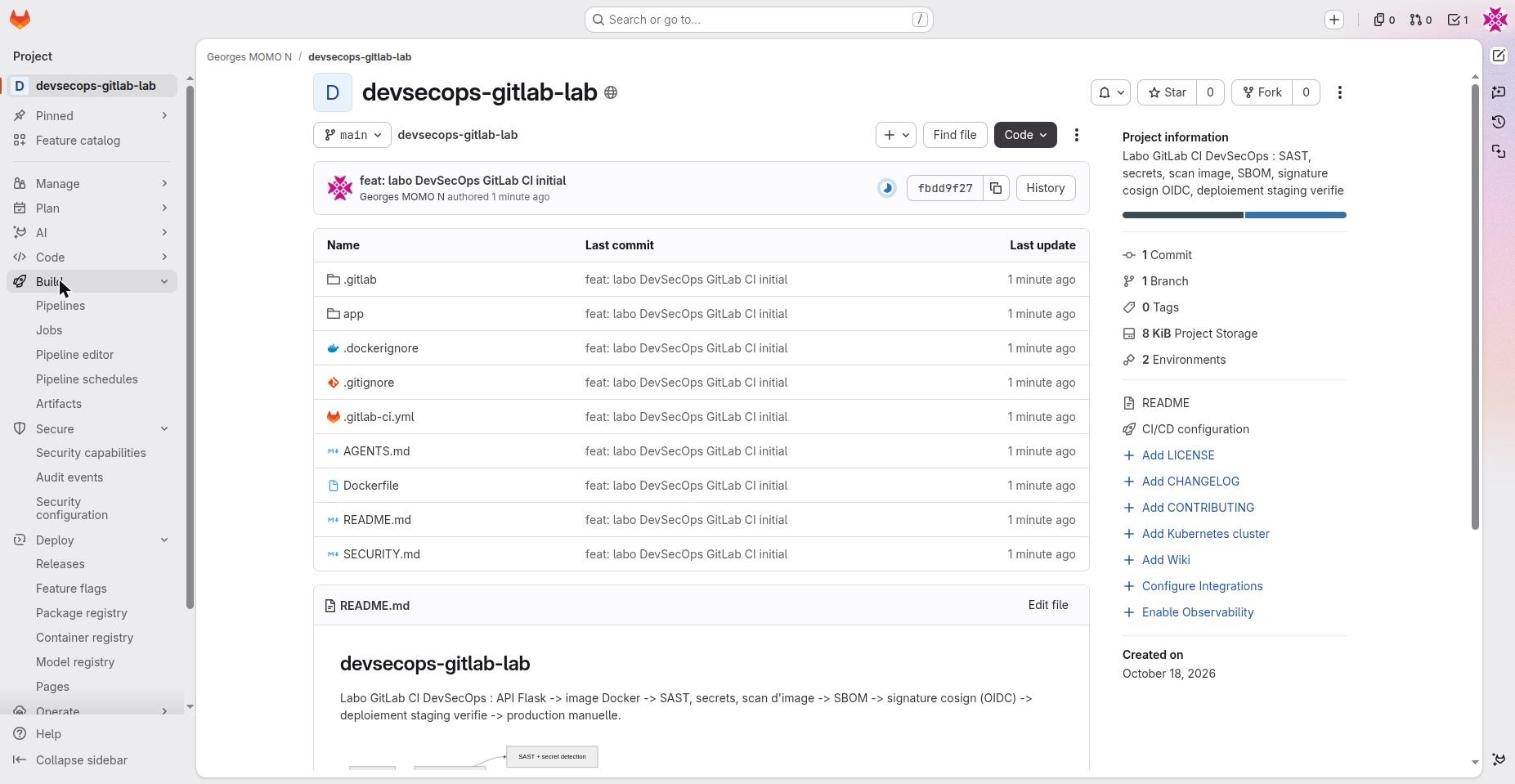
Build holds the CI features you will meet in stations 5 to 9. Secure holds the scanners (station 10). Deploy holds what the pipeline publishes:
ReleasesFreeA published version tied to a git tag, with release notes, links to binaries or images, and evidence.
- Why it exists
- Tell people what was delivered and give stable download links.
- In real companies
- A pipeline on tag
v1.2.0builds and signs, then a release job creates the release with a link to the signed image. - How to use it
- Deploy, Releases, New release, or in YAML:
release: tag_name, description(using release-cli or glab). - Limits and pitfalls
- A release does not build anything: it points to what the pipeline produced.
Feature flagsFreeSwitches for features, managed in GitLab and compatible with Unleash SDKs.
- Why it exists
- Ship code switched off, turn it on for 10% of users or one environment, switch it off without redeploying.
- In real companies
- A new checkout page enabled first in staging, then for a percentage of production users.
- How to use it
- Deploy, Feature flags, New flag, strategies per environment. The application queries the API with the URL and instance ID GitLab gives you.
- Limits and pitfalls
- Every flag is debt: plan its removal.
Package registryFreeA built-in registry for npm, Maven, PyPI, NuGet, Composer, Conan, Helm, Go and generic packages.
- Why it exists
- Publish and consume internal libraries with the project's own permissions.
- In real companies
- An internal Python library published by the pipeline on every tag, installed by other teams with pip and a token.
- How to use it
- Deploy, Package registry. Publish from CI with the CI_JOB_TOKEN, for example to
$CI_API_V4_URL/projects/$CI_PROJECT_ID/packages/pypi. - Limits and pitfalls
- The dependency proxy (a cache for Docker Hub images) is a separate, group-level feature.
Manage and AI
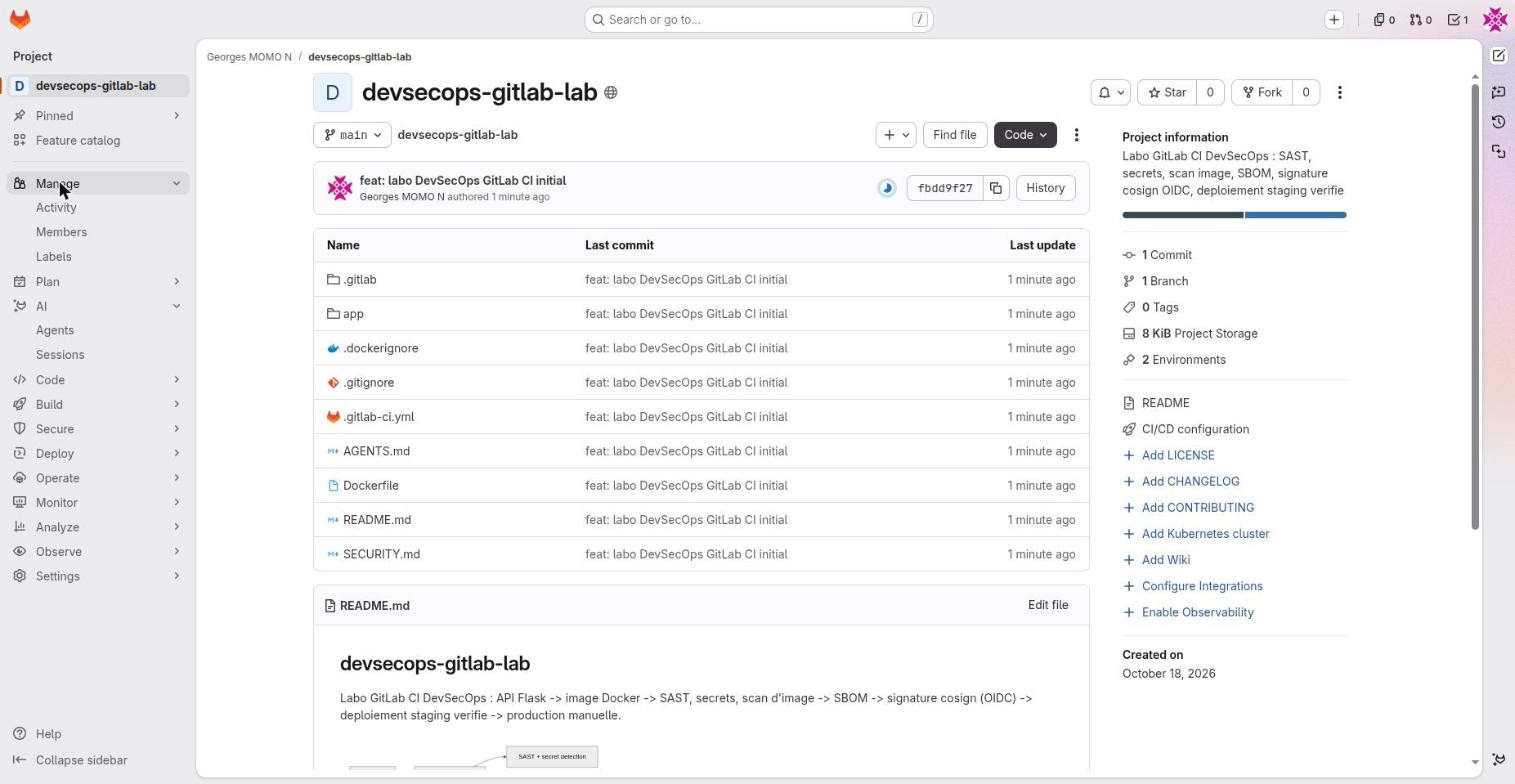
Manage is where members and labels live (seen above). AI lists the agents enabled in the project; station 14 covers them.
Operate, Monitor, Analyze and Settings
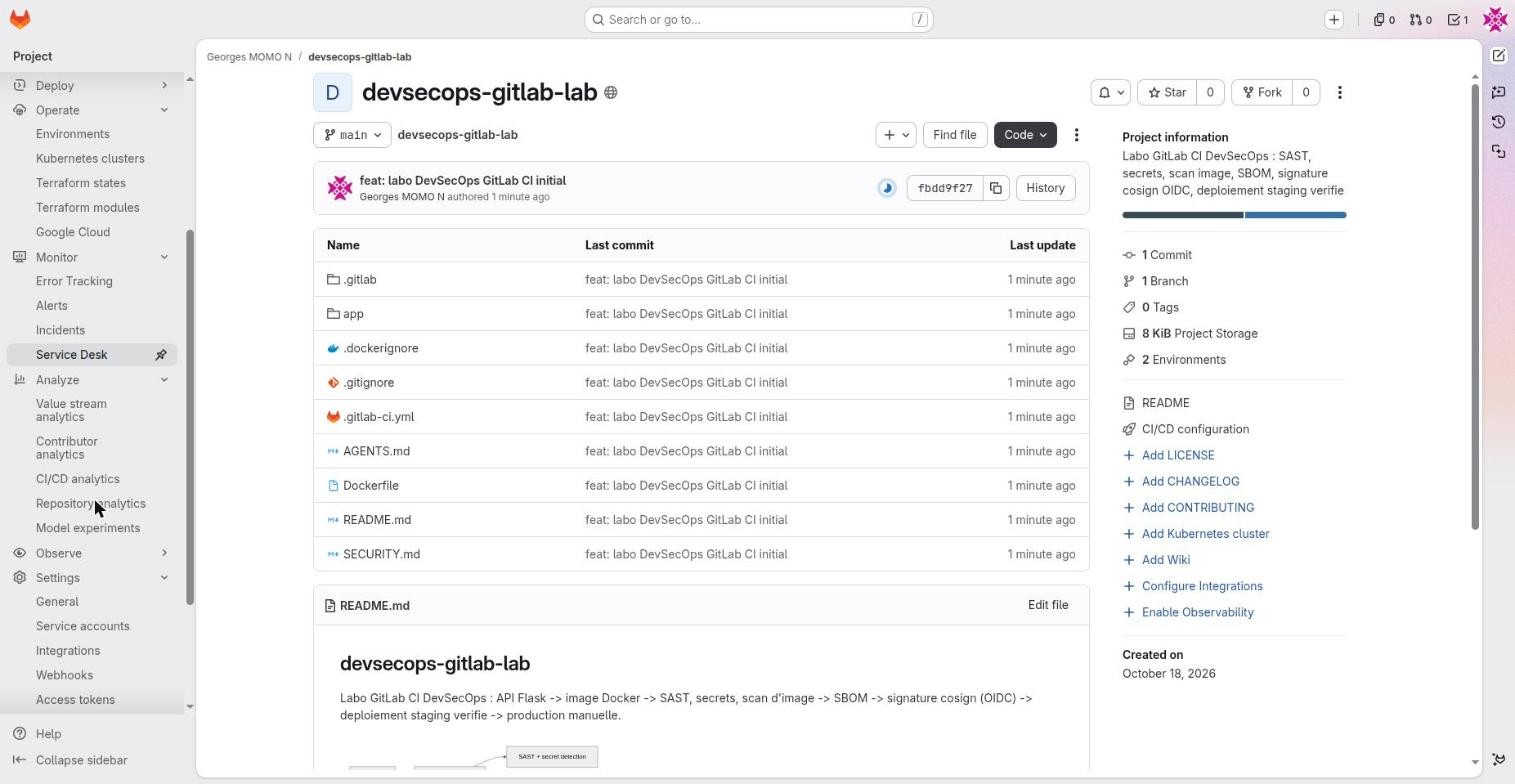
Terraform / OpenTofu states and modulesFreeAn HTTP backend for Terraform state managed by GitLab, plus a module registry.
- Why it exists
- Infrastructure as code without managing a state bucket and its locks yourself.
- In real companies
- The OpenTofu CI component runs
planin the merge request andapplyon merge. - How to use it
- Operate, Terraform states. HTTP backend at
$CI_API_V4_URL/projects/$CI_PROJECT_ID/terraform/state/<name>. - Limits and pitfalls
- State files can contain secrets: restrict who can read them (Maintainer by default).
Monitor: error tracking, alerts, incidents, Service DeskFree (advanced on-call: paid)Operations tools: application errors (Sentry-compatible), incoming alerts, incidents with a timeline, Service Desk (tickets by email).
- Why it exists
- Keep operations in the same tool as the code and the delivery.
- In real companies
- An alert opens an incident, the on-call engineer follows the wiki runbook, the fix merge request is linked to the incident.
- How to use it
- Monitor, then the relevant page; alerts arrive through an HTTP endpoint.
- Limits and pitfalls
- Advanced on-call (rotations, escalations) is paid. Many companies keep a dedicated tool.
Analyze: value stream, CI/CD analytics, DORAFree (full DORA: Ultimate)Dashboards about the delivery flow: time per stage, pipeline success rate and duration, deployment frequency.
- Why it exists
- Measure to improve: where work waits, which pipelines are slow or flaky.
- In real companies
- Show that adding
needsand a cache cut the median pipeline time in half. - How to use it
- Analyze, CI/CD analytics; Value stream analytics; Repository analytics.
- Limits and pitfalls
- The four DORA metrics in full and multi-project dashboards need Ultimate.
The Code button
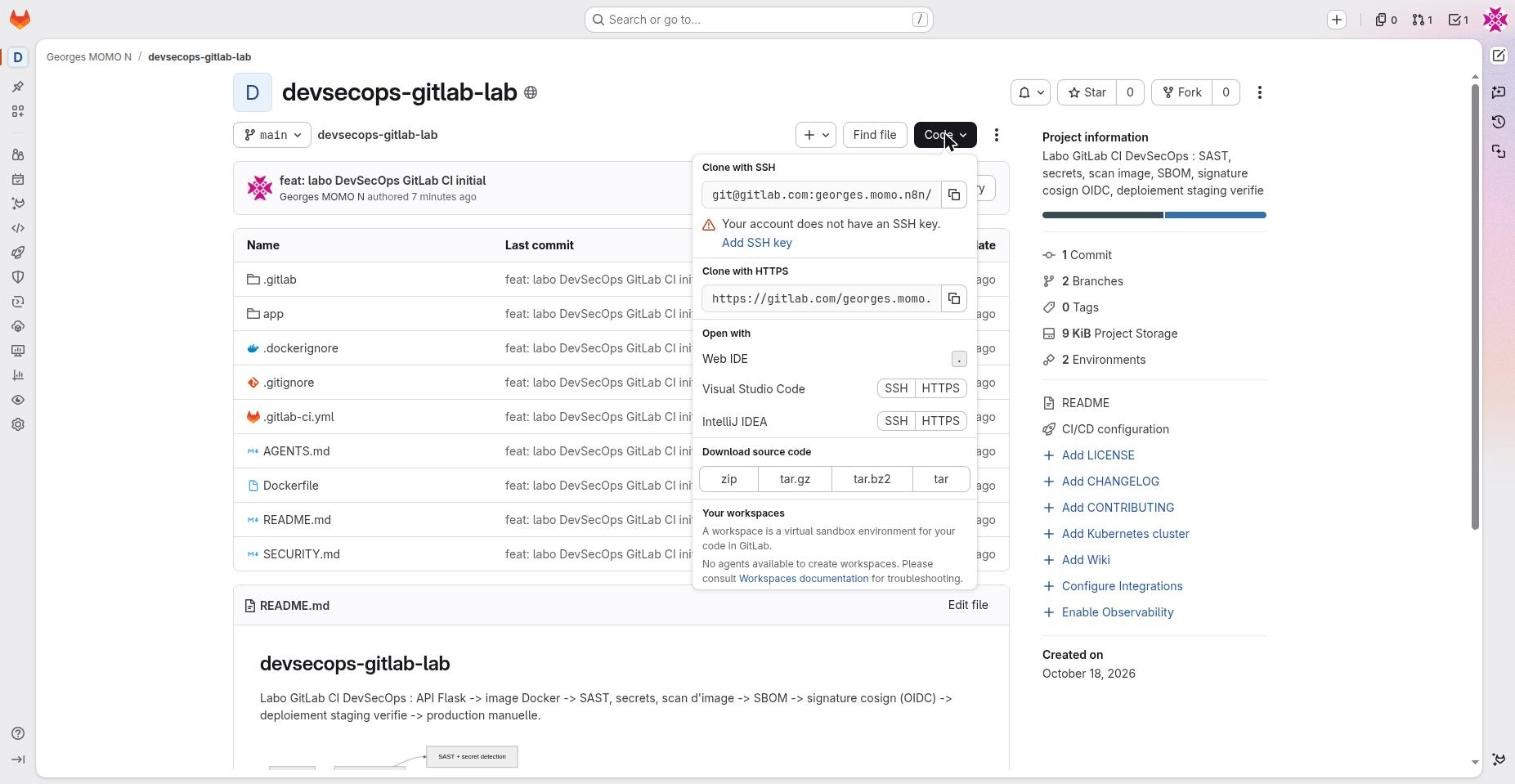
Clone over SSH or HTTPSFreeThe Code menu gives clone URLs, IDE shortcuts and source downloads.
- Why it exists
- Get the project on your machine to work with git.
- In real companies
- SSH with one key per laptop; HTTPS with a token when a corporate proxy blocks SSH.
- How to use it
- Avatar, Edit profile, SSH keys, Add new key, then
git clone git@gitlab.com:…. Over HTTPS the password is a token (scopes read_repository or write_repository). - Limits and pitfalls
- With two-factor authentication on, passwords do not work over HTTPS: use a token.
Web IDEFreeA VS Code editor in the browser, opened on the repository (press . or Code, Web IDE).
- Why it exists
- Edit several files, review diffs and commit without installing anything.
- In real companies
- Fix a pipeline YAML and a Dockerfile from a locked-down laptop.
- How to use it
- Code, Web IDE, edit, Source Control panel, Commit and push (to a new branch plus a merge request).
- Limits and pitfalls
- No terminal and no execution: for that you need a Workspace.
WorkspacesPremiumRemote development environments (a container plus an IDE) started from GitLab in your own Kubernetes cluster.
- Why it exists
- A reproducible development machine in one click, described by a devfile in the repository.
- In real companies
- Onboarding: a newcomer opens a workspace that already has the right Python and Docker versions.
- How to use it
- Needs a Kubernetes agent configured for workspaces and a
.devfile.yaml. - Limits and pitfalls
- Unlike GitHub Codespaces, the infrastructure is yours to run.
The Web IDE is a notebook you can write in anywhere but cannot run anything in. A Workspace is a full workshop with tools plugged in, but someone has to rent the building (your Kubernetes cluster).
Hands-onChange the API message from the browser
In your fork, press . to open the Web IDE, open app/app.py, change the MESSAGE string, and commit to a new branch with "Start a new merge request" ticked.
Show a hint
In the Source Control panel, the commit button offers "Commit to a new branch". GitLab then proposes to open a merge request. Keep it open: station 4 uses it.
Anatomy of a merge request
- read every part of a merge request;
- explain approvals, code owners and templates, and which tier enforces them;
- explain why a push can create two pipelines and how the lab avoids it.
The merge request is where code review, automated checks and decisions meet. In the lab, merge request !1 comes from the branch feature/nouveau-message ("new message") and changes the API message. Its description was filled in automatically by a template.
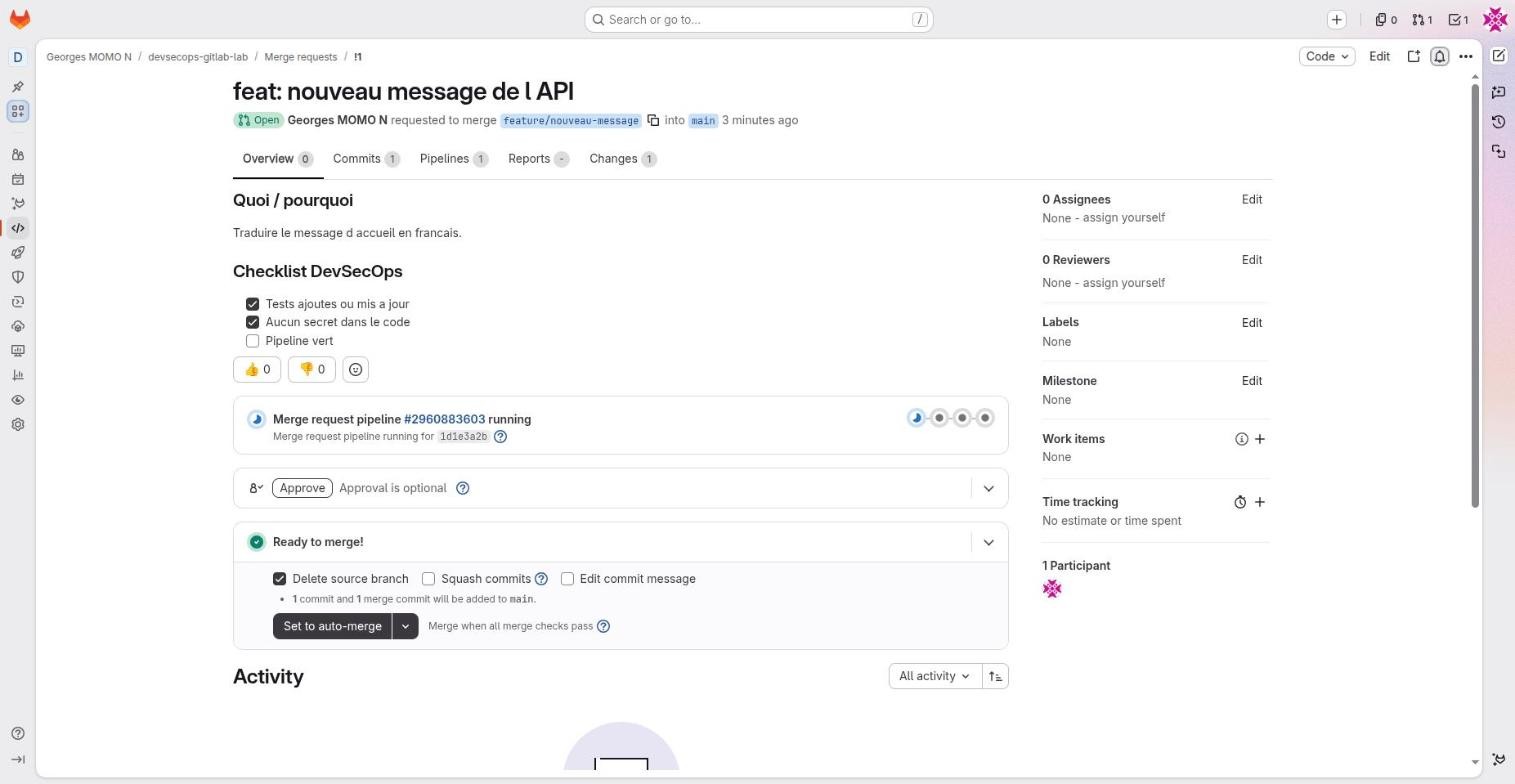
feature/nouveau-message into main.Merge requestFree (security widget: Ultimate)A request to merge a source branch into a target branch, with discussion, diff, pipeline, approvals and reports.
- Why it exists
- The single checkpoint before code enters main: human review, tests, scans.
- In real companies
- Every change to main goes through a merge request: protected branch without direct push, pipeline required, review by a peer.
- How to use it
- Code, Merge requests, New, or the link printed after a
git push. Tabs: Overview, Commits, Pipelines, Changes. Set to auto-merge merges as soon as checks pass.Draft:in the title marks a draft. - Limits and pitfalls
- "Delete source branch" is ticked by default. The detailed security widget is Ultimate.
- Exam tip
- Branch pipeline versus merge request pipeline versus merged results pipeline (the merge request virtually merged with its target, a paid feature).
Merge request approvalsFree (required rules: Premium)The Approve button and, in paid tiers, mandatory approval rules (how many, who, which groups).
- Why it exists
- Guarantee that at least N qualified people reviewed the change before it is merged.
- In real companies
- Two approvals including someone from the security team for any change under
.gitlab/; authors cannot approve their own work. - How to use it
- Free: approving is possible but optional ("Approval is optional"). Premium: Settings, Merge requests, Approval rules.
- Limits and pitfalls
- In Free an approval does not block the merge: rely on merge checks and branch protection.
CODEOWNERSPremiumA file that maps paths to owners (people or groups), optionally in sections.
- Why it exists
- Pick the right reviewers automatically and make their approval mandatory on protected branches.
- In real companies
[CI]section:.gitlab-ci.ymlowned by the platform team;[Application]:app/owned by the product team. The lab has one.- How to use it
- File at the root, in
docs/or in.gitlab/. Turn on "Require approval from code owners" on the protected branch. - Limits and pitfalls
- In Free the file is present but not enforced.
Issue and merge request templatesFreeMarkdown files offered in the Description list when you create an issue or a merge request.
- Why it exists
- Get complete bug reports and merge requests that follow a checklist (tests, secrets, pipeline).
- In real companies
- The DevSecOps checklist of the lab's merge requests comes from
.gitlab/merge_request_templates/Default.md. - How to use it
.gitlab/issue_templates/*.mdand.gitlab/merge_request_templates/*.md. A template called Default is applied automatically.- Limits and pitfalls
- Templates are suggestions: anyone can clear them. To enforce, combine with merge checks.
The lab's templates and owners, as they are in the repository
## What / why

Closes #

## DevSecOps checklist
- [ ] Tests added or updated
- [ ] No secret in the code
- [ ] Images and includes pinned
- [ ] Pipeline green

/assign me
Closes # links the merge request to an issue that closes on merge. /assign me is a quick action: a slash command GitLab executes when the description is saved.
## What is happening?

## Steps to reproduce

## Pipeline link (if relevant)

/label ~bug
The quick action /label ~bug adds the label automatically.
# CODEOWNERS sections: enforced with "Require approval from code owners" on a protected branch (Premium and Ultimate)
[CI]
.gitlab-ci.yml @georges.momo.n8n
.gitlab/ @georges.momo.n8n

[Application]
app/ @georges.momo.n8n
Dockerfile @georges.momo.n8n
Two sections, so the pipeline files and the application code can have different owners. In Free the file is ignored; in Premium it adds required approvers.
Why one push can create two pipelines
When a branch has an open merge request, a push is two events at once: a push to a branch, and an update to a merge request. Without care, GitLab creates a branch pipeline and a merge request pipeline for the same commit, which doubles your compute minutes. The lab's workflow:rules (station 6) keeps only the merge request pipeline:
workflow:
  rules:
    - if: $CI_PIPELINE_SOURCE == "merge_request_event"   # merge request pipeline
    - if: $CI_COMMIT_BRANCH && $CI_OPEN_MERGE_REQUESTS    # avoids the duplicate branch + MR pipeline
      when: never
main is protected so nobody can push to it directly; every change goes through a merge request with a green pipeline, at least one approval, and code owners for sensitive paths such as CI files, infrastructure code and authentication modules. Merge checks (station 11) turn these habits into rules.
Hands-onReview your own merge request
Open the merge request you created in station 3. Find: the pipeline it started (which source does it show?), the Changes tab, the Approve button, and the merge options. Then merge it and watch the pipeline on main.
Show the solution
The merge request pipeline carries the merge request badge: its source is merge_request_event. After you merge, a new pipeline starts on main with source push; that one also signs and deploys, because the lab's sign and deploy jobs only run on the default branch.
How GitLab CI works
- describe how an event becomes a pipeline, stages, jobs and runner work;
- tell a cache from an artifact without hesitating;
- use predefined variables and the pipeline editor.
One file at the root of the repository, .gitlab-ci.yml, describes everything. On every event (push, merge request, tag, schedule, API call, button click) GitLab reads that file, builds a pipeline, and runners come and fetch the jobs one by one.
- An event happens. A push, a merge request update, a tag, a schedule, an API call. GitLab records it as
CI_PIPELINE_SOURCE. workflow:rulesdecides whether a pipeline is created at all for that event.- Each job's
rulesdecide whether that job is added to the pipeline. - Stages run in order. By default a stage waits until every job of the previous stage is finished; jobs inside a stage run in parallel.
needscan break that barrier (station 6). - A runner polls GitLab ("any job for me?"), starts the job's container from its
image, plus side containers called services, runs thescript, and sends back the log and the artifacts.
GitLab is a restaurant kitchen's order screen. .gitlab-ci.yml is the recipe book, the pipeline is one table's order, stages are courses (starters before mains), jobs are dishes, and runners are cooks who pick up the next ticket when their hands are free. A cache is the pantry: handy, but sometimes empty. An artifact is the plate passed to the next cook: it must arrive.
The keywords that matter
| Keyword | What it does | In the lab |
|---|---|---|
workflow:rules | Decides whether a pipeline is created, for which event. | Merge request, branch (unless a merge request is open), tag. |
rules | Decides whether a job is added (if, changes, exists, when). Replaces the old only/except. | sign, the deployments and pages: only on main (sign also on tags). |
stages, stage | Order of the columns; every job belongs to one stage (default: test). | lint, test, build, scan, sign, deploy. |
needs | Explicit dependencies: start without waiting for the whole stage. | The whole path from build to deploy. |
image, services | The job's container, and side containers (database, Docker-in-Docker). | docker:28 with docker:28-dind. |
extends, hidden jobs .name | Configuration inheritance. A job whose name starts with a dot never runs on its own. | .python, .docker, .deploy. |
include | Assemble several files: local, project, remote, template, component. | templates.yml plus three security templates. |
parallel:matrix | Generate N jobs from a list of variables. | Tests on Python 3.12 and 3.13. |
cache, artifacts | Cache: go faster (may be missing). Artifact: pass a result (guaranteed, downloadable, expires). | pip cache; JUnit, dotenv and SBOM artifacts. |
environment, resource_group | Track a deployment in Operate, Environments; run only one job at a time for a resource. | staging, production. |
when: manual | The job waits for a click. At job level it implies allow_failure: true, so the pipeline can still pass. | deploy_production. |
id_tokens | Ask GitLab for a signed OIDC token with a given audience. | SIGSTORE_ID_TOKEN for cosign. |
interruptible | The job may be cancelled when a newer commit arrives (with workflow:auto_cancel). | The Python jobs. |
PipelinesFreeBuild, Pipelines: every run, with status, source (branch, merge request, tag), author and stages.
- Why it exists
- See what is running, what failed, retry, start a run by hand.
- In real companies
- Check that a merge to main really deployed; rerun a nightly pipeline that hit an unavailable runner.
- How to use it
- New pipeline: pick a branch and, if allowed, variables or inputs. Badges: latest, merge request, branch, tag.
- Limits and pitfalls
- On new projects nobody may pass manual pipeline variables by default ("Minimum role to use pipeline variables: No one allowed"). That is a safety measure: prefer
spec:inputs. - Exam tip
- Know the pipeline sources, and that merge request pipelines only see protected variables if both branches are protected (configurable).
Pipeline editorFreeAn editor dedicated to .gitlab-ci.yml with live validation, visualisation, simulation and merged configuration.
- Why it exists
- Write and check a pipeline without costly trial and error in compute minutes.
- In real companies
- Before changing a shared include, check the merged result in Full configuration and the created jobs in Validate.
- How to use it
- Build, Pipeline editor. Tabs: Edit, Visualize, Validate (simulation on a branch), Full configuration (includes and extends resolved). Buttons for the CI/CD Catalog and help.
- Limits and pitfalls
- Validate simulates: rules that depend on runtime variables can behave differently. The
/ci/lintAPI does the same from a script.
Predefined variablesFreeVariables GitLab gives every job: CI_COMMIT_SHA, CI_COMMIT_SHORT_SHA, CI_DEFAULT_BRANCH, CI_PIPELINE_SOURCE, CI_REGISTRY_IMAGE, CI_JOB_TOKEN, CI_PROJECT_URL…
- Why it exists
- Write a generic pipeline that works in any project.
- In real companies
IMAGE: $CI_REGISTRY_IMAGE:$CI_COMMIT_SHORT_SHAworks unchanged if you copy the lab into another project.- How to use it
- Full list in the "Predefined CI/CD variables" documentation. To inspect them, print only the ones you need: dumping every variable can expose sensitive values.
- Limits and pitfalls
- Some only exist in a context:
CI_MERGE_REQUEST_IIDin merge request pipelines,CI_COMMIT_TAGon tags,CI_COMMIT_BRANCHnot in merge request pipelines. - Exam tip
- Precedence, highest first: pipeline variables (manual, trigger, schedule), project, group, instance, dotenv report variables, job-level YAML variables, global YAML variables, predefined variables.
Cache or artifact? Sort them
CacheFreeFiles kept between pipelines to go faster (pip, npm, Maven downloads).
- Why it exists
- Do not download the same dependencies in every job.
- In real companies
- A cache key based on
requirements-dev.txt: the cache only changes when the dependencies change. - How to use it
cache: key: files: [app/requirements-dev.txt], paths: [.cache/pip], policy: pull-push(orpullfor jobs that only read).- Limits and pitfalls
- Best effort: a cache can be missing. Never rely on it to pass a result. Never put secrets in it.
- Exam tip
- Cache = optimisation between pipelines; artifact = result passed between jobs.
ArtifactsFreeFiles a job keeps after it ends: binaries, reports, SBOMs. Build, Artifacts lists them for the whole project.
- Why it exists
- Pass a result to later jobs, make it downloadable, and feed the interface (tests, security, coverage).
- In real companies
- A JUnit report in the Tests tab, a CycloneDX SBOM kept 30 days for audit, an image digest passed on with a dotenv report.
- How to use it
artifacts: paths,expire_in,when(on_success, on_failure, always),reports:junit, dotenv, cyclonedx, sast, coverage_report… Later jobs receive them according toneedsordependencies.- Limits and pitfalls
- Artifacts use storage: always set
expire_in. Artifacts of the latest successful pipeline are kept by default (Settings, CI/CD, Artifacts). - Exam tip
- Cache versus artifacts, and the fact that a dotenv report creates variables for downstream jobs.
Pipeline schedulesFreePlanned runs of the pipeline (cron) on a branch, with their own variables.
- Why it exists
- Some work must happen even when nobody commits: a nightly scan, a weekly rebuild to pick up OS fixes, a cleanup.
- In real companies
- Every Monday, rebuild and rescan the image on main: new CVEs are published every day, even when your code does not change.
- How to use it
- Build, Pipeline schedules, New schedule (cron, time zone, branch, variables). In YAML:
rules: - if: $CI_PIPELINE_SOURCE == "schedule". - Limits and pitfalls
- The pipeline runs with the schedule owner's permissions. If that person leaves, the schedule fails: use Take ownership.
- Exam tip
CI_PIPELINE_SOURCEisschedule. Know the other values: push, merge_request_event, web, api, trigger, pipeline, parent_pipeline.
Hands-onFind where a value comes from
Open any job log of your fork's pipeline. Without printing secrets, which predefined variable gives the registry address of your project, and which one gives the short commit SHA used as the image tag?
Show the solution
CI_REGISTRY_IMAGE (for example registry.gitlab.com/<namespace>/devsecops-gitlab-lab) and CI_COMMIT_SHORT_SHA. The lab combines them in the global variable IMAGE: $CI_REGISTRY_IMAGE:$CI_COMMIT_SHORT_SHA, which is why the pipeline works unchanged in your fork.
Controlling the flow: rules, needs and reuse
- predict which pipeline and which jobs an event creates, using the lab's real rules;
- turn a staged pipeline into a faster graph with
needs; - reuse configuration with include, extends, components and child pipelines.
Rules: the first match wins
rules are read from top to bottom, and the first rule whose condition is true decides. If it says when: never, the job (or with workflow:rules, the whole pipeline) is dropped. If no rule matches at all, the job is not added. That single sentence explains most "why didn't my job run?" questions.
Pick "Scheduled pipeline" on main: sign and both deployments are added, because their rules only look at the branch. If a weekly rebuild should scan but not deploy, add a rule - if: $CI_PIPELINE_SOURCE == "schedule" with when: never before the others in .deploy.
CI_COMMIT_BRANCH is not set in merge request pipelines (use CI_MERGE_REQUEST_SOURCE_BRANCH_NAME) and not set in tag pipelines (use CI_COMMIT_TAG). A rule like if: $CI_COMMIT_BRANCH == "main" is therefore false in every merge request pipeline, even for a merge request targeting main.
rules and workflow:rulesFreeConditions checked in order; the first one that matches decides (when, allow_failure, variables).
- Why it exists
- Run a job, or create a pipeline at all, only in the right context: merge request, main, tag, changed files.
- In real companies
- Deploy only from main; build the docs only when
docs/**changed; no pipeline for commits that say[skip ci]. - How to use it
rules: - if: $CI_COMMIT_BRANCH == $CI_DEFAULT_BRANCH,- changes: [app/**/*],- exists: [Dockerfile],when: never | manual | on_success | delayed.- Limits and pitfalls
rulesandonly/exceptcannot be mixed in a job. If no rule matches, the job is not added.changescompares with the previous commit or with the merge request target.- Exam tip
- Classic question:
when: manualinside rules (allow_failure false by default) versus at job level (true).
Stages versus a graph with needs
Without needs, a stage is a barrier: the lab's build would wait for the slow SAST job in the test stage, although the image does not depend on it. With needs: [lint, test], build starts the moment lint and both test jobs are done. GitLab calls the result a DAG (directed acyclic graph).
stage lint    lint
stage test    test [3.12]   test [3.13]   semgrep-sast (slow)   secret_detection
              ---- barrier: everything above must finish ----
stage build   build
lint ──┐
test ──┴──> build ──┬──> trivy_gate ──┬──> sign ──> deploy_staging ──> deploy_production (manual)
                    └──> container_scanning  │
semgrep-sast, secret_detection run alongside and do not block build
pages needs: [] and starts immediately
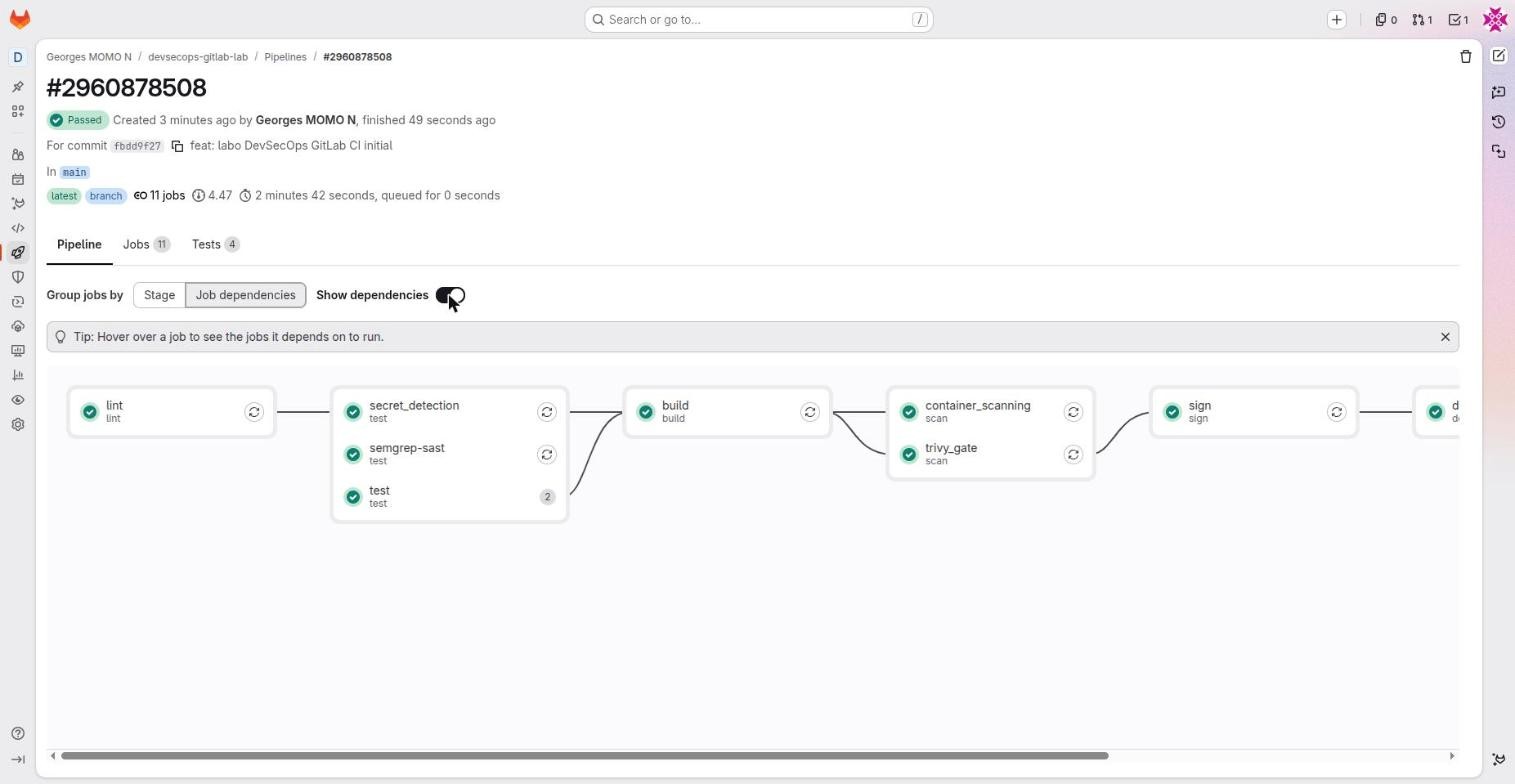
needs (DAG)FreeThe list of jobs a job really depends on. It starts as soon as they finish, without waiting for its whole stage.
- Why it exists
- Shorter pipelines, and control over which artifacts a job downloads.
- In real companies
- The build starts while the slow SAST job is still running; the deployment only downloads the build's dotenv.
- How to use it
needs: [build],needs: [{job: build, artifacts: true}],needs: []to start immediately. See it with "Job dependencies" in the pipeline graph.- Limits and pitfalls
- A job cannot need a job that does not exist in this pipeline (because of rules, for example): use
needs:optional: true. - Exam tip
needsignores stage order. Withoutneeds, a job receives the artifacts of every job in earlier stages.
Reusing configuration
At company scale, nobody writes a pipeline from scratch. Four mechanisms help, from the most local to the most shared:
| Mechanism | Reuses | Typical use |
|---|---|---|
extends + hidden jobs | A block inside the same configuration | The lab's .python, .docker, .deploy |
include | Whole files: local, other project, URL, GitLab template | The lab's templates.yml and security templates |
| CI/CD components | Versioned, parameterised blocks from the CI/CD Catalog | components/sast@3.5.0 |
| Child pipelines | A whole separate pipeline | One pipeline per service in a monorepo |
include, extends and hidden jobsFreeWays to reuse configuration: assemble files (include) and inherit blocks (extends).
- Why it exists
- Nobody wants to copy the same YAML into 200 projects. Centralising good practice is how platform teams scale.
- In real companies
- A versioned
acme/ci-templatesproject included everywhere:include: project: acme/ci-templates, ref: v3, file: python.yml. - How to use it
include:local, project (+ref, file), remote, template, component.extends: .pythondeep-merges keys. YAML anchors and!reference [.job, script]reuse parts.- Limits and pitfalls
- An unpinned remote include can change under your feet: prefer
projectwithrefon a tag, or a versioned component. - Exam tip
- Merge order: the job's own keys win over what it extends or includes.
CI/CD components and the CI/CD CatalogFreeVersioned pipeline building blocks with typed parameters (spec:inputs), published in a searchable catalog.
- Why it exists
- The GitLab equivalent of GitHub actions: reuse a proven step (SAST, OpenTofu, deployment) in one line.
- In real companies
- The platform team publishes
acme/components/docker-build@2.1.0; product teams include it instead of maintaining their own build. - How to use it
include: - component: $CI_SERVER_FQDN/components/sast/sast@3.5.0withinputs:. Explore, CI/CD Catalog to search. The lab'sJobs/*.gitlab-ci.ymltemplates have component equivalents.- Limits and pitfalls
- Pin an exact version (
@3.5.0).@~latestfollows the newest release. - Exam tip
- Template (a file included as is) versus component (versioned, parameterised with inputs, published in the catalog).
Parent-child and multi-project pipelinesFreeA job with trigger: that starts another pipeline: a child pipeline (same project, other YAML) or another project's pipeline.
- Why it exists
- Split a monorepo, generate a pipeline dynamically, chain the build of one project with the deployment of another.
- In real companies
- Monorepo: one child pipeline per service, started only if its folder changed; the application project triggers the infrastructure project.
- How to use it
trigger: include: services/api/.gitlab-ci.yml, ortrigger: project: acme/infra, branch: main, strategy: depend(wait for the result).- Limits and pitfalls
- Not every variable is passed down automatically: use
variables:orinputson the trigger job. - Exam tip
strategy: dependmirrors the child's status on the trigger job.
ChallengeRun the docs job only when docs change
Write a job docs_check that runs a link checker, but only in merge request pipelines and only when files under docs/ changed.
Show a hint
Combine if and changes in the same rule item: both must be true for the rule to match.
Show the solution
docs_check:
  stage: lint
  image: alpine:3.22
  rules:
    - if: $CI_PIPELINE_SOURCE == "merge_request_event"
      changes: [docs/**/*]
  script:
    - echo "run your link checker here"
No other rule matches, so in every other case the job is simply not added.
The lab, file by file
- explain every file of the project and every line of its pipeline;
- write and validate a pipeline in the pipeline editor;
- build a small, non-root container image with a multi-stage Dockerfile.
The goal of the lab: every push builds an image, scans it, signs it without managing any key, deploys it to a short-lived environment and checks that it answers. Here is what is in the project.
| File | Role |
|---|---|
app/app.py, app/test_app.py | The Flask API (/ and /healthz) and its pytest tests. |
app/requirements*.txt | Dependencies. gunicorn==22.0.0 is deliberately old so the scanners have something to report. |
Dockerfile | Multi-stage build, non-root user (uid 10001), OCI label pointing to the project. |
.gitlab-ci.yml | The pipeline. |
.gitlab/ci/templates.yml | Reusable hidden jobs, included with include: local. |
.gitlab/CODEOWNERS | Owners per path, in [CI] and [Application] sections (enforced in Premium). |
.gitlab/issue_templates/, .gitlab/merge_request_templates/ | Templates offered when creating an issue or a merge request. |
SECURITY.md, AGENTS.md | How to report a vulnerability; instructions for AI agents working in the repository. |
docs/ | This course, published by the pages job (station 13). |
Step 1: the application and its tests
"""Mini API du labo DevSecOps.

Modifie MESSAGE ou VERSION, pousse sur main : le pipeline
build -> scan -> signe -> deploie automatiquement.
"""

import os

from flask import Flask, jsonify

VERSION = os.environ.get("APP_VERSION", "1.0.0")
MESSAGE = "Hello from GitLab CI DevSecOps lab!"

app = Flask(__name__)


@app.get("/")
def index():
    return jsonify(message=MESSAGE, version=VERSION)


@app.get("/healthz")
def healthz():
    return jsonify(status="ok")


if __name__ == "__main__":
    app.run(host="0.0.0.0", port=int(os.environ.get("PORT", "8080")))
from app import app
def test_index():
client = app.test_client()
res = client.get("/")
assert res.status_code == 200
assert "message" in res.get_json()
def test_healthz():
client = app.test_client()
res = client.get("/healthz")
assert res.status_code == 200
assert res.get_json() == {"status": "ok"}flask==3.1.3 # Deliberately old version (known CVE): the scanners report it -> exercise in the course gunicorn==22.0.0
/healthz is a health check endpoint: the deployment calls it to decide whether the new version is alive. The version comes from the APP_VERSION environment variable, which the pipeline sets to the commit SHA, so you can always tell which build is answering.
Step 2: the Dockerfile
# syntax=docker/dockerfile:1
# ---------- Stage 1: build the dependencies ----------
FROM python:3.13-slim AS build1
WORKDIR /src
COPY app/requirements.txt .
RUN pip install --no-cache-dir --prefix=/install -r requirements.txt2

# ---------- Stage 2: minimal final image ----------
FROM python:3.13-slim
LABEL org.opencontainers.image.source="https://gitlab.com/georges.momo.n8n/devsecops-gitlab-lab" \
      org.opencontainers.image.description="GitLab CI DevSecOps lab" \
      org.opencontainers.image.licenses="MIT"

# Non-root user (security best practice, checked by the scanners)
RUN useradd --create-home --uid 10001 appuser3
WORKDIR /app
COPY --from=build /install /usr/local4
COPY app/app.py .

ARG APP_VERSION=dev
ENV APP_VERSION=${APP_VERSION} PORT=8080 PYTHONUNBUFFERED=1 PYTHONDONTWRITEBYTECODE=1
USER 100015
EXPOSE 8080
HEALTHCHECK --interval=30s --timeout=3s CMD python -c "import urllib.request,sys; urllib.request.urlopen('http://127.0.0.1:8080/healthz'); sys.exit(0)"6
CMD ["gunicorn", "--bind", "0.0.0.0:8080", "--workers", "2", "app:app"]7
- A multi-stage build: the first stage installs dependencies, the second copies only the result. Build tools never reach the final image.
- Packages are installed into
/installso they can be copied in one line. - A dedicated user with a fixed uid. Scanners and Kubernetes policies flag images that run as root.
- Only the installed packages and
app.pyreach the final image; tests and dev tools are excluded (see also.dockerignore). - From here on, the container runs as uid 10001: a compromised app cannot modify system files.
- Docker itself can check the container's health with the same endpoint the pipeline uses.
- A production web server (gunicorn) instead of Flask's development server.
Step 3: write and check the pipeline in the editor
- Create the project: +, New project/repository, Create blank project. Untick "Initialize repository with a README" if you are pushing existing code.
- Open Build, Pipeline editor. It validates the syntax as you type and offers Visualize, Validate and Full configuration.
- Commit from the field at the bottom, either straight to main or to a new branch with a merge request. The pipeline starts immediately.
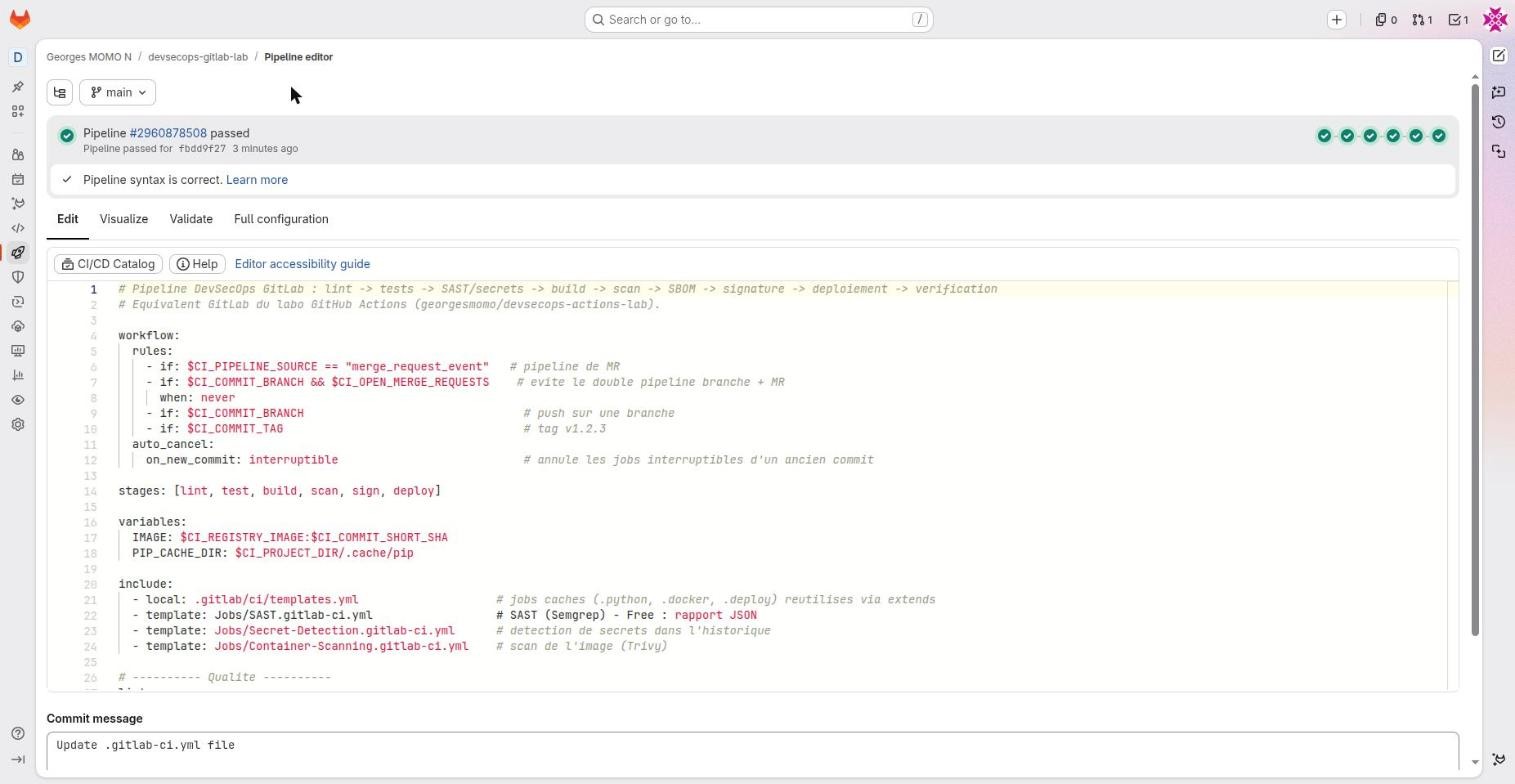
.gitlab-ci.yml.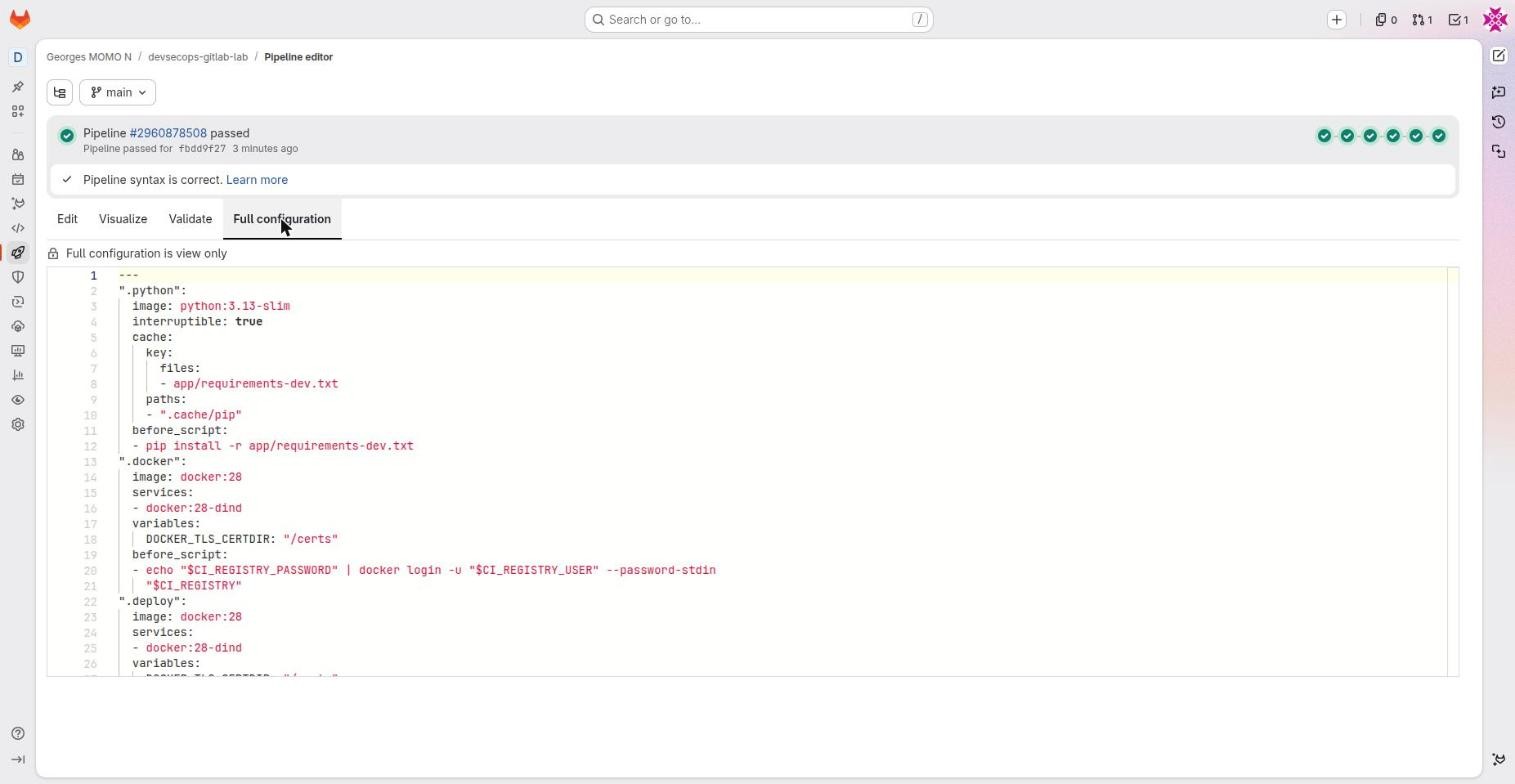
Step 4: read .gitlab-ci.yml block by block
# GitLab DevSecOps pipeline: lint -> tests -> SAST/secrets -> build -> scan -> SBOM -> signature -> deployment -> verification
# GitLab twin of the GitHub Actions lab (georgesmomo/devsecops-actions-lab).
# Interactive course: see docs/index.html (published by the "pages" job at the end of this file).

workflow:1
  rules:
    - if: $CI_PIPELINE_SOURCE == "merge_request_event"   # merge request pipeline
    - if: $CI_COMMIT_BRANCH && $CI_OPEN_MERGE_REQUESTS    # avoids the duplicate branch + MR pipeline
      when: never
    - if: $CI_COMMIT_BRANCH                                # push to a branch
    - if: $CI_COMMIT_TAG                                   # tag v1.2.3
  auto_cancel:
    on_new_commit: interruptible                           # cancels interruptible jobs of an older commit

stages: [lint, test, build, scan, sign, deploy]2

variables:
  IMAGE: $CI_REGISTRY_IMAGE:$CI_COMMIT_SHORT_SHA3
  PIP_CACHE_DIR: $CI_PROJECT_DIR/.cache/pip

include:4
  - local: .gitlab/ci/templates.yml                    # hidden jobs (.python, .docker, .deploy) reused with extends
  - template: Jobs/SAST.gitlab-ci.yml                  # SAST (Semgrep) - Free: JSON report
  - template: Jobs/Secret-Detection.gitlab-ci.yml      # finds secrets committed to the history
  - template: Jobs/Container-Scanning.gitlab-ci.yml    # scans the image (Trivy)

# ---------- Quality ----------
lint:
  extends: .python
  stage: lint
  script:
    - ruff check app
    - ruff format --check app

test:
  extends: .python
  stage: test
  image: python:${PY}-slim
  parallel:5
    matrix:
      - PY: ["3.12", "3.13"]                           # 2 generated jobs
  script:
    - cd app && pytest --junitxml=report.xml
  artifacts:
    when: always
    expire_in: 1 week
    reports:
      junit: app/report.xml                            # pipeline Tests tab6

# ---------- Image ----------
build:
  extends: .docker
  stage: build
  needs: [lint, test]
  script:
    - docker build --build-arg APP_VERSION="$CI_COMMIT_SHORT_SHA" --label org.opencontainers.image.revision="$CI_COMMIT_SHA" -t "$IMAGE" .
    - docker push "$IMAGE"
    - DIGEST=$(docker inspect --format='{{index .RepoDigests 0}}' "$IMAGE" | cut -d@ -f2)
    - echo "IMAGE_DIGEST=$DIGEST" >> build.env
    - echo "Image published $CI_REGISTRY_IMAGE@$DIGEST"
  artifacts:
    reports:
      dotenv: build.env                                # IMAGE_DIGEST becomes a variable in later jobs7

container_scanning:                                    # overrides the job provided by the template8
  stage: scan
  needs: [build]
  variables:
    CS_IMAGE: $IMAGE

trivy_gate:
  stage: scan
  needs: [build]
  image:
    name: aquasec/trivy:0.76.0
    entrypoint: [""]
  variables:
    TRIVY_USERNAME: $CI_REGISTRY_USER
    TRIVY_PASSWORD: $CI_REGISTRY_PASSWORD
  script:
    - trivy image --exit-code 1 --severity CRITICAL --ignore-unfixed "$IMAGE"          # security gate9
    - trivy image --format cyclonedx --output sbom.cdx.json "$IMAGE"                   # SBOM
  artifacts:
    paths: [sbom.cdx.json]
    reports:
      cyclonedx: sbom.cdx.json10
    expire_in: 30 days

# ---------- Supply chain ----------
sign:
  stage: sign
  image: alpine:3.22
  needs: [build, trivy_gate]
  rules:
    - if: $CI_COMMIT_BRANCH == $CI_DEFAULT_BRANCH
    - if: $CI_COMMIT_TAG
  id_tokens:11
    SIGSTORE_ID_TOKEN:                                 # GitLab OIDC token, read automatically by cosign
      aud: sigstore
  before_script:
    - apk add --no-cache cosign
    - cosign login -u "$CI_REGISTRY_USER" -p "$CI_REGISTRY_PASSWORD" "$CI_REGISTRY"
  script:
    - cosign sign --yes "$CI_REGISTRY_IMAGE@$IMAGE_DIGEST"

# ---------- Deployment ----------
deploy_staging:
  extends: .deploy
  needs: [build, sign]
  environment:
    name: staging
    deployment_tier: staging
    url: $CI_PROJECT_URL/container_registry
  resource_group: staging                              # only one staging deployment at a time12

deploy_production:
  extends: .deploy
  needs: [build, sign, deploy_staging]
  when: manual                                         # Play button: human approval13
  environment:
    name: production
    deployment_tier: production
    url: $CI_PROJECT_URL/container_registry
  resource_group: production

# ---------- Course website ----------
# GitLab Pages publishes whatever a job named "pages" leaves in public/ as an artifact.
# needs: [] starts it at once, without waiting for the other stages: the course does not depend on the image.
pages:14
  stage: deploy
  image: busybox:1.37
  needs: []
  script:
    - rm -rf public && cp -r docs public               # the course lives in docs/, Pages serves public/
  artifacts:
    paths: [public]
  rules:
    - if: $CI_COMMIT_BRANCH == $CI_DEFAULT_BRANCH      # publish only from the default branch
- workflow: one pipeline per event, never a duplicate branch plus merge request pipeline; jobs marked
interruptibleof an older commit are cancelled when a new commit arrives. - stages: the six columns, in order.
- IMAGE: project registry plus short SHA, so every commit gets its own tag.
$CI_REGISTRY_IMAGEis predefined. - include: one local file and three official templates, which add the jobs
semgrep-sast,secret_detectionandcontainer_scanning. - parallel:matrix creates
test: [3.12]andtest: [3.13]from one definition. - The JUnit report feeds the pipeline's Tests tab.
when: alwayskeeps it even when tests fail, which is exactly when you need it. - build pushes the image, then reads its digest (the immutable fingerprint) into
build.env. The dotenv report turnsIMAGE_DIGESTinto a variable for every job thatneeds: [build]. - Overriding a template job: same name as the template's job, so these keys are merged into it (new stage, needs and image to scan).
- The security gate: exit code 1 if a CRITICAL vulnerability that has a fix exists. This job really fails the pipeline.
- The SBOM in CycloneDX format, published as a report and kept 30 days.
- id_tokens gives the job an OIDC token with audience
sigstore. cosign reads it fromSIGSTORE_ID_TOKENand signs without a stored key (station 8). - resource_group: two pipelines can never deploy staging at the same time.
- when: manual: production waits for a human to press Play. At job level this also means
allow_failure: true, so the pipeline shows Passed while production waits. - pages publishes
docs/as this course.needs: []lets it start at once (station 13).
Step 5: the shared hidden jobs
# Hidden jobs (name starting with a dot): never run on their own, reused with extends.

.python:
  image: python:3.13-slim
  interruptible: true1
  cache:
    key:
      files: [app/requirements-dev.txt]               # cache key = hash of this file2
    paths: [.cache/pip]
  before_script:
    - pip install -r app/requirements-dev.txt

.docker:
  image: docker:28
  services:
    - docker:28-dind                                    # Docker-in-Docker3
  variables:
    DOCKER_TLS_CERTDIR: "/certs"
  before_script:
    - echo "$CI_REGISTRY_PASSWORD" | docker login -u "$CI_REGISTRY_USER" --password-stdin "$CI_REGISTRY"4

.deploy:
  extends: .docker
  stage: deploy
  rules:
    - if: $CI_COMMIT_BRANCH == $CI_DEFAULT_BRANCH
  script:
    - apk add --no-cache cosign curl
    # Zero trust: only run the image signed by THIS pipeline of THIS project
    - cosign verify "$CI_REGISTRY_IMAGE@$IMAGE_DIGEST" --certificate-identity "${CI_PROJECT_URL}//.gitlab-ci.yml@refs/heads/${CI_COMMIT_REF_NAME}" --certificate-oidc-issuer "${CI_SERVER_URL}" > /dev/null5
    - echo "Signature verified for $CI_REGISTRY_IMAGE@$IMAGE_DIGEST"
    # Ephemeral environment: the hardened container runs inside the Docker service
    - docker run -d --name app -p 8080:8080 --read-only --tmpfs /tmp --cap-drop ALL "$CI_REGISTRY_IMAGE@$IMAGE_DIGEST"6
    - for i in $(seq 1 20); do curl -fsS http://docker:8080/healthz && break; sleep 2; done
    - curl -fsS http://docker:8080/healthz | grep -q ok7
    - curl -fsS http://docker:8080/
    - echo "Smoke test OK on $CI_ENVIRONMENT_NAME"
- Python jobs can be cancelled safely when a newer commit arrives.
- The cache key is a hash of the dependency file: the cache is reused until the dependencies change.
- Docker-in-Docker: a side container that provides a Docker daemon at the hostname
docker. - Login with the job's own registry credentials, passed on stdin so the password never appears in the process list.
- The DevSecOps heart. Before running anything,
cosign verifydemands that the signature was produced by this.gitlab-ci.yml, of this project, on this branch, with GitLab as the issuer. An image pushed by hand, or signed by another project, is refused. - An ephemeral environment: the image runs inside the Docker service, read-only, with every Linux capability dropped.
- The smoke test: retry
/healthzfor up to 40 seconds, requireok, then call/. When the job ends, everything disappears.
These hidden jobs would live in a central project (include: project: acme/ci-templates, ref: v3) or become versioned CI/CD components. For a real cluster, the deploy job would use the GitLab agent for Kubernetes (station 11) instead of a throwaway container; the cosign verify step stays exactly the same, or moves into a cluster admission policy.
Docker-in-Docker (services)FreeA side container docker:dind that gives the job a Docker daemon, reachable at the hostname docker.
- Why it exists
- Build and run images inside a job on shared runners.
- In real companies
- The lab's build job; the smoke test that starts the image and calls it on
http://docker:8080. - How to use it
image: docker:28,services: [docker:28-dind],DOCKER_TLS_CERTDIR: "/certs". Published ports live on thedockerhost, not on localhost.- Limits and pitfalls
- Needs a privileged runner (GitLab.com provides one). Rootless alternatives: Buildah or BuildKit (Kaniko is no longer maintained).
Hands-onBreak the gate on purpose
In a branch of your fork, change the base image of the final stage to an old Python image with known critical vulnerabilities (for example an end-of-life tag), push, and open a merge request. Which job fails, and what happens to the jobs after it?
Show a hint
Look at which jobs need trivy_gate. In a merge request pipeline, sign and deploy are not even added (their rules want the default branch), so watch the gate itself.
Show the solution
trivy_gate fails with exit code 1 if a critical, fixable vulnerability is found, and the pipeline turns red. On main, sign needs trivy_gate, so it never runs; without a signature, the deploy jobs cannot verify anything. container_scanning stays green: GitLab's scanner jobs report, they do not block. Revert the change afterwards.
Supply chain: digests, SBOMs and keyless signatures
- explain why the lab deploys by digest and never by tag;
- follow the trust chain from the sign job to the deploy job;
- configure
id_tokensfor a cloud or for Sigstore safely.
Scanning tells you an image looked fine when it was built. It does not tell you that the image you are about to run is that image. A tag like :latest or even :fbdd9f27 is a label someone can move to another image. A digest (sha256:…) is computed from the content itself: change one byte and the digest changes. That is why the lab passes IMAGE_DIGEST from job to job and signs and deploys image@digest.
A tag is the name on a parcel; anyone can write a new name on a different box. A digest is the parcel's fingerprint. A keyless signing certificate is a tamper-proof seal stamped by a notary (Fulcio) who first checked the sender's ID card (GitLab's OIDC token), and every stamp is written in a public ledger (Rekor).
Ride the trust chain
No private key to store, rotate or leak: the pipeline's identity is the key. It is the same principle you use to let a pipeline into AWS, Google Cloud, Azure or Vault without a stored password.
id_tokens (OIDC)FreeJWT tokens signed by GitLab, requested by a job, that describe its identity (project, branch, pipeline, environment).
- Why it exists
- Log in to a cloud, to Vault or to Sigstore without storing any long-lived secret.
- In real companies
- An AWS role that only jobs on main of project X can assume; keyless cosign image signing.
- How to use it
id_tokens: MY_TOKEN: aud: https://target. The JWT is in$MY_TOKEN. On the cloud side, trust the issuerhttps://gitlab.comand filter on thesubclaim (project_path:…:ref_type:branch:ref:main).- Limits and pitfalls
- A filter that is too broad (all of gitlab.com) would let any project in. Always filter on project_path and ref.
- Exam tip
- It replaces the removed
CI_JOB_JWT.audis required.
Container registryFreeThe project's Docker image registry, at registry.gitlab.com/<namespace>/<project>.
- Why it exists
- Store the images built by the pipeline close to the code and its permissions.
- In real companies
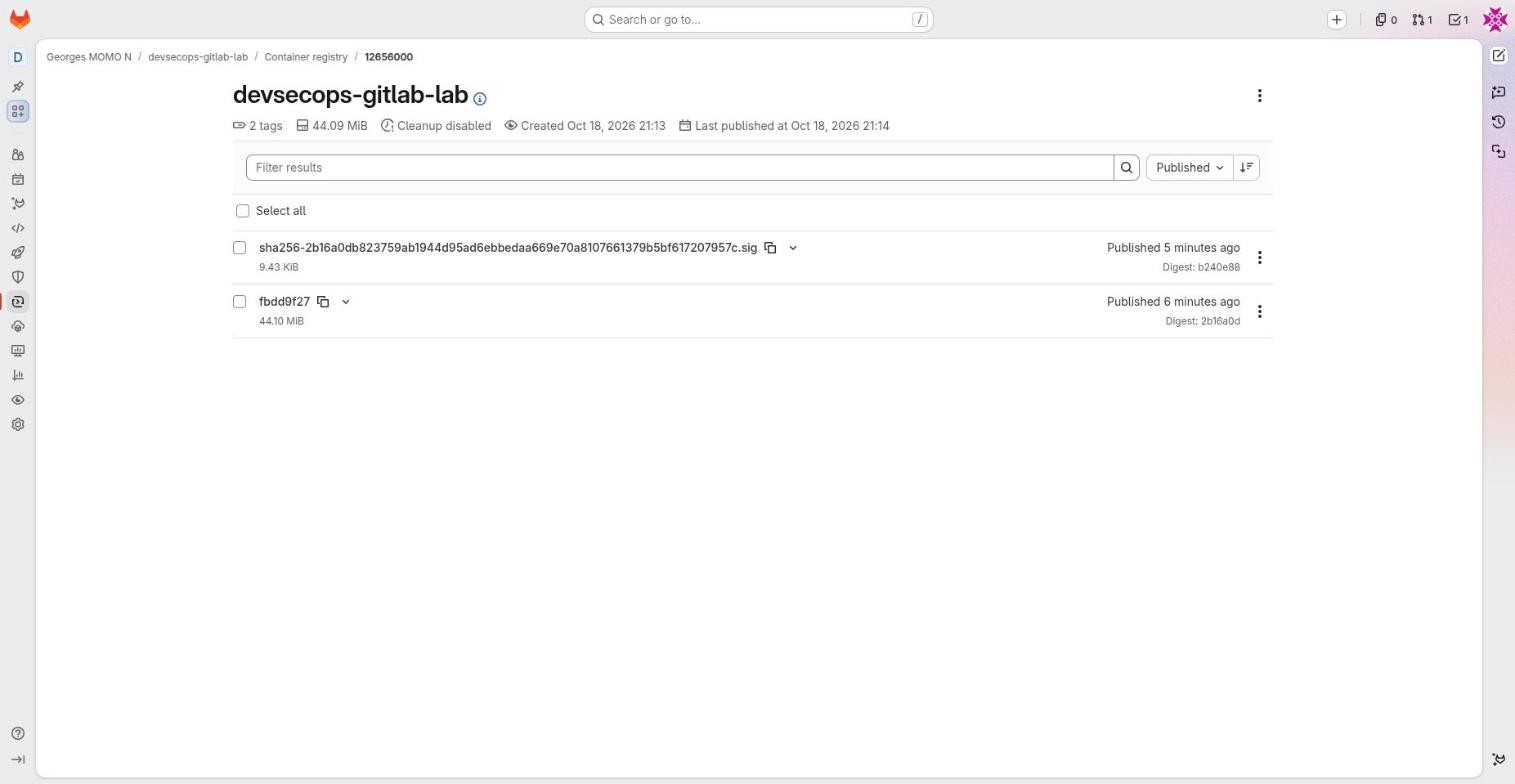
- One image per commit (tag = short SHA) plus its cosign signature stored next to it (tag
sha256-….sig). - How to use it
- Deploy, Container registry. In a job, log in with
CI_REGISTRY_USERandCI_REGISTRY_PASSWORD(the job's token). Cleanup policies: Settings, Packages and registries. - Limits and pitfalls
- Without a cleanup policy, storage grows forever. Tags can be moved: deploy by digest, like the lab.
Trusting https://gitlab.com as an issuer without filtering the sub claim. Every project on GitLab.com can get a token from that issuer. Always pin the project path and the ref (and, for clouds, the environment).
ChallengeVerify a signature yourself
With cosign installed on your machine, verify the image of your fork's latest main pipeline. You need the digest (from the build job log or the registry page) and the same identity the deploy job uses.
Show the solution
$ cosign verify registry.gitlab.com/<namespace>/devsecops-gitlab-lab@sha256:<digest> \
    --certificate-identity "https://gitlab.com/<namespace>/devsecops-gitlab-lab//.gitlab-ci.yml@refs/heads/main" \
    --certificate-oidc-issuer "https://gitlab.com"
If the project is private, log in to the registry first (cosign login or docker login with a token that has read_registry). Try changing the identity to another branch: verification fails, which is the point.
Reading and debugging a pipeline
- read the pipeline list, the stage graph, the dependency graph and the Tests tab;
- find the useful part of a job log quickly;
- follow a deployment in Environments and understand review apps.
The pipeline list
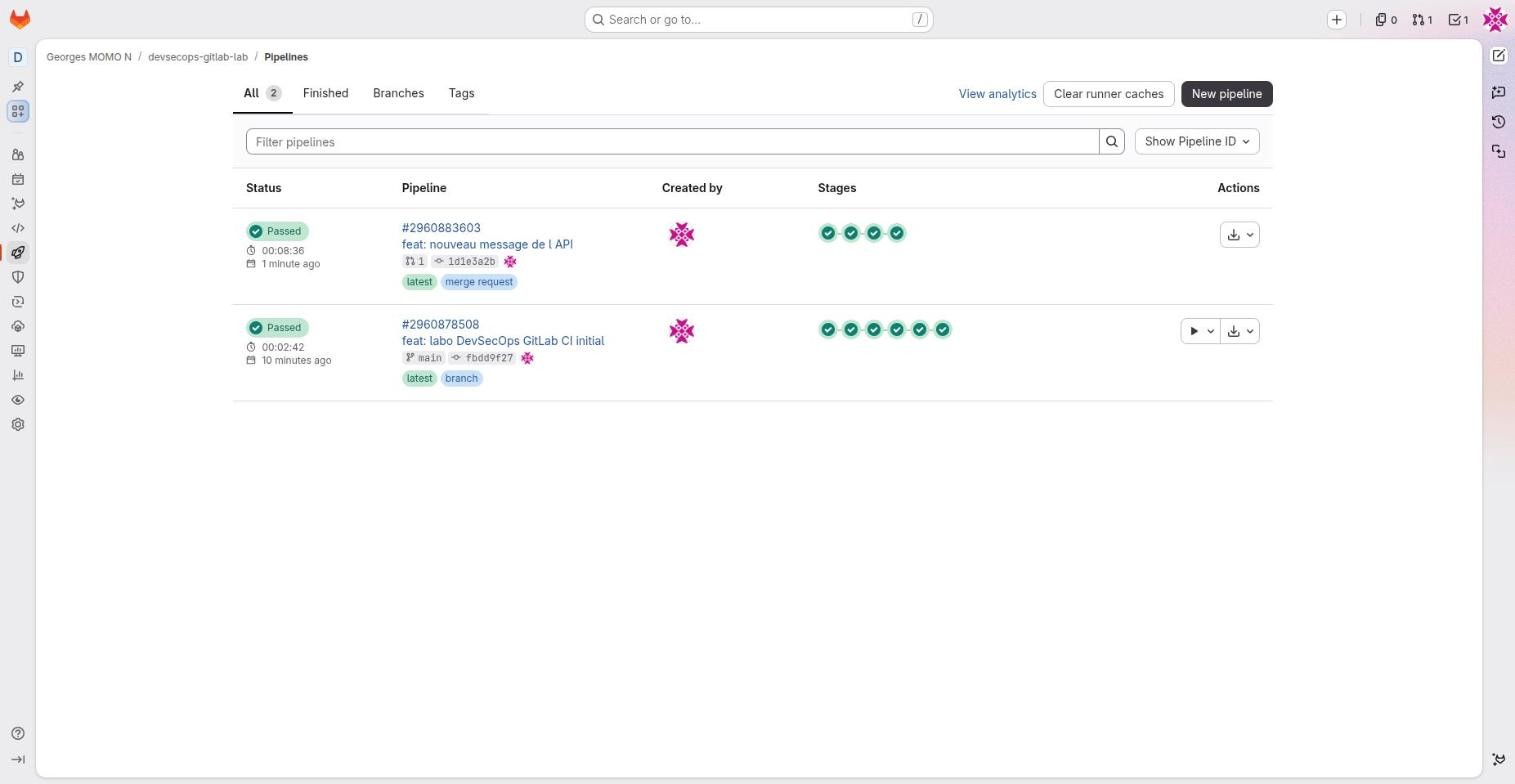
The graph, grouped by stage
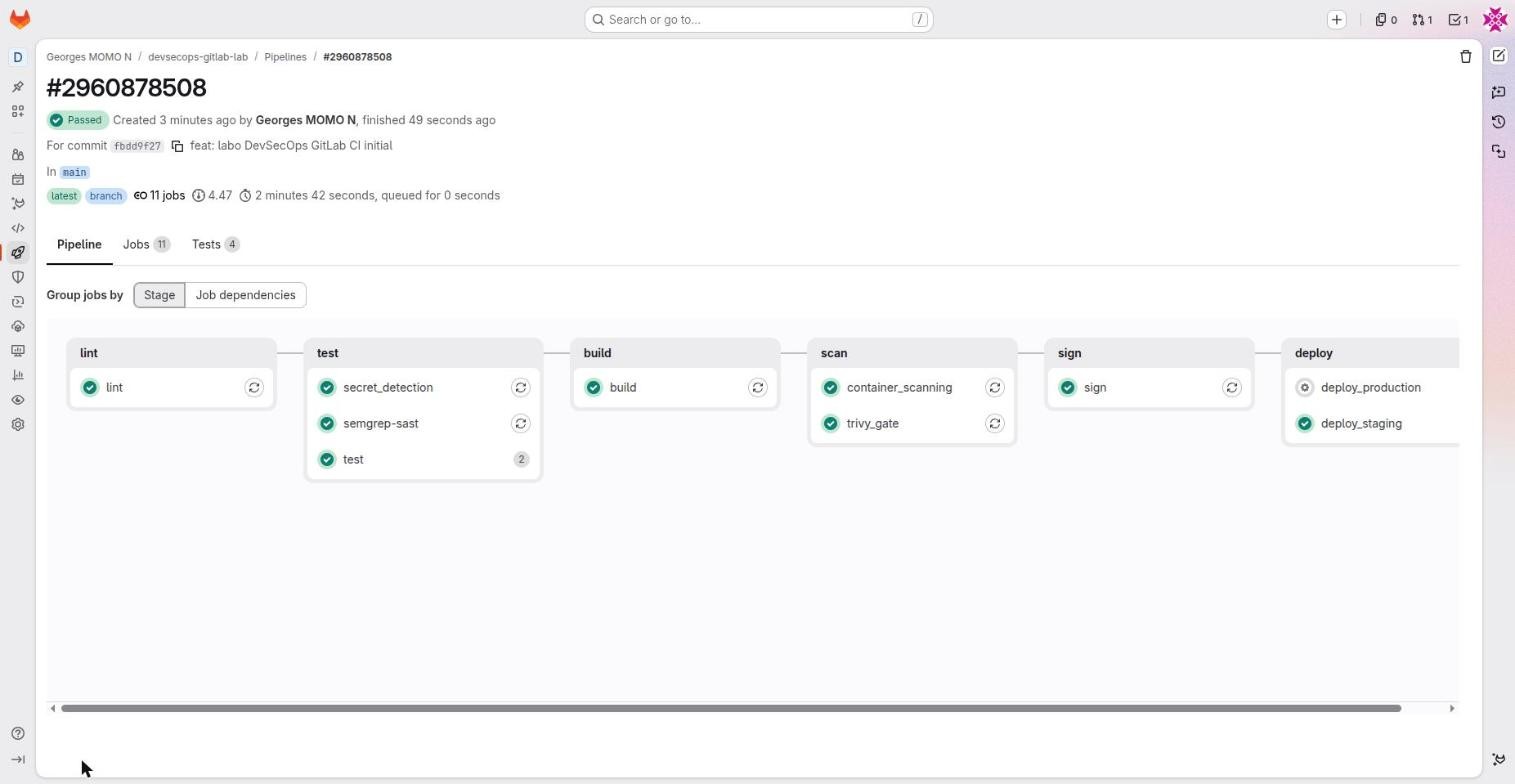
Notice the test column: the two matrix jobs sit next to semgrep-sast and secret_detection, which the templates put in the test stage. Notice also that the pipeline is green while deploy_production still waits: that is the job-level when: manual at work.
The Tests tab
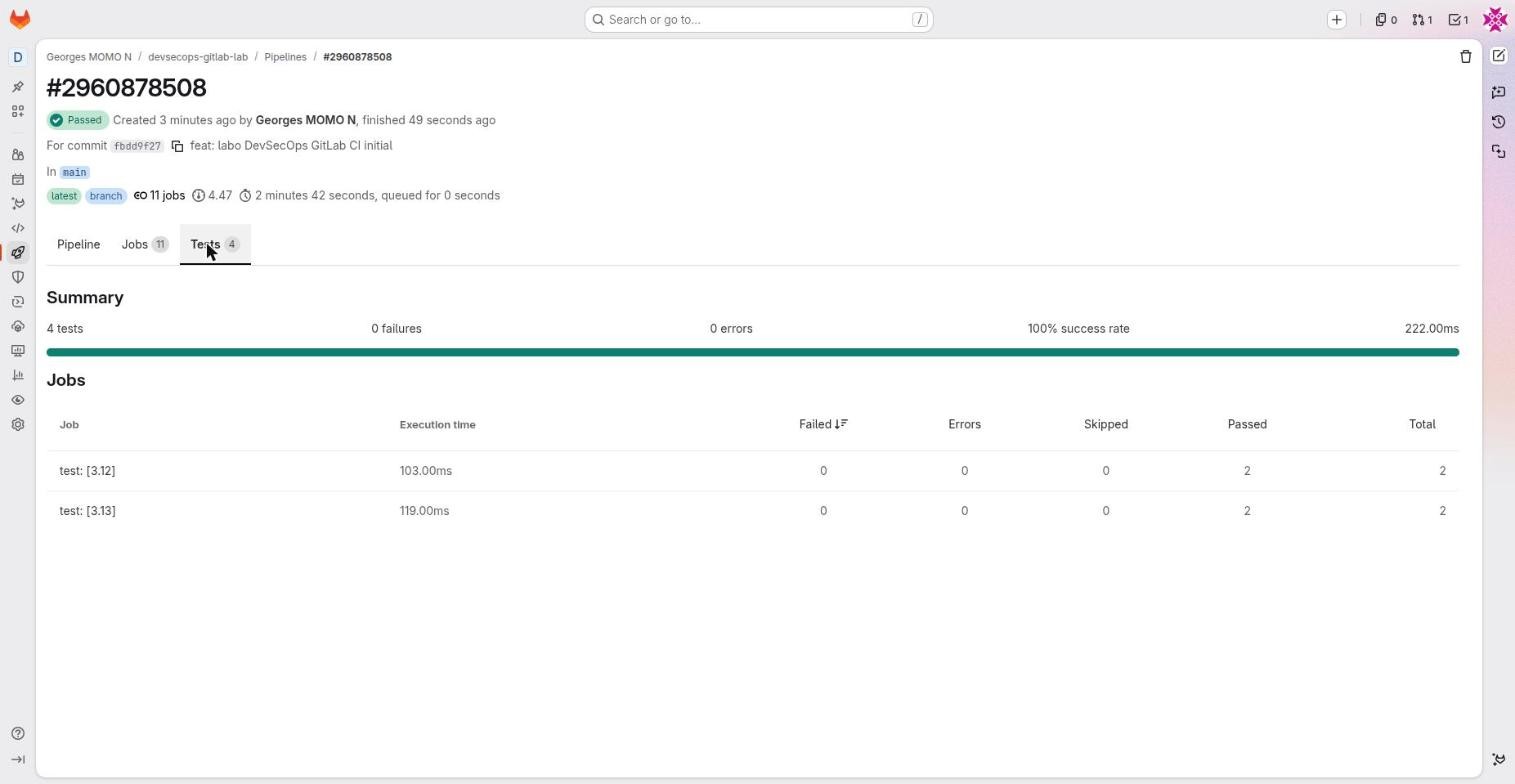
artifacts:reports:junit.A job log
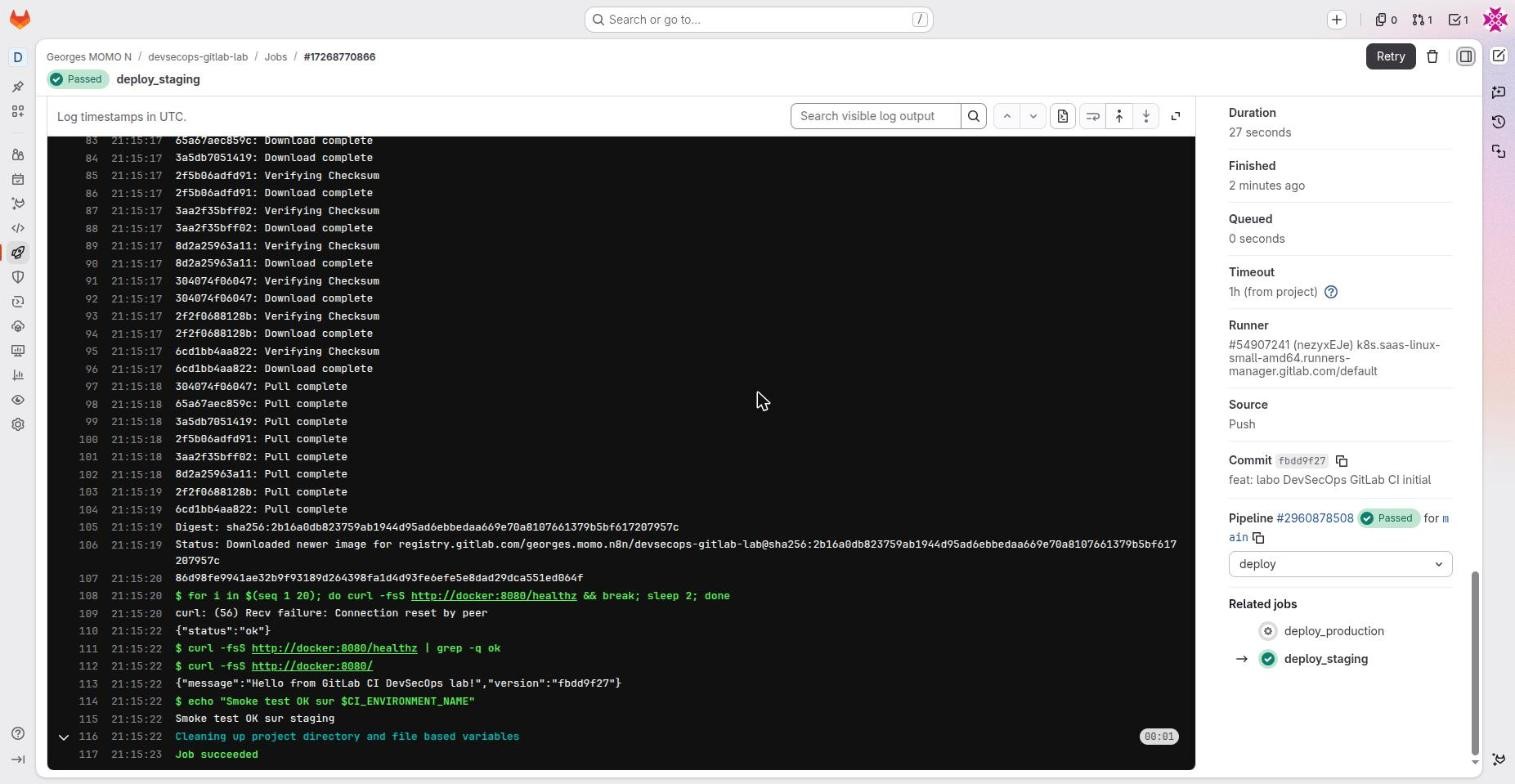
deploy_staging job.Jobs and logsFreeA job page: live log, duration, runner, commit, pipeline, related jobs, and Retry, Cancel, Erase buttons.
- Why it exists
- Understand a failure and rerun precisely what you need.
- In real companies
- The smoke test of
deploy_stagingprints{"status":"ok"}then the API message: proof that the signed image runs. - How to use it
- Search in the log, collapsible sections (
section_start/section_end), timestamps. Retry reruns just this job with the same configuration. - Limits and pitfalls
- Masked secrets show as
[MASKED], but a transformed value (base64, split) is not masked any more: never print a secret.
Environments
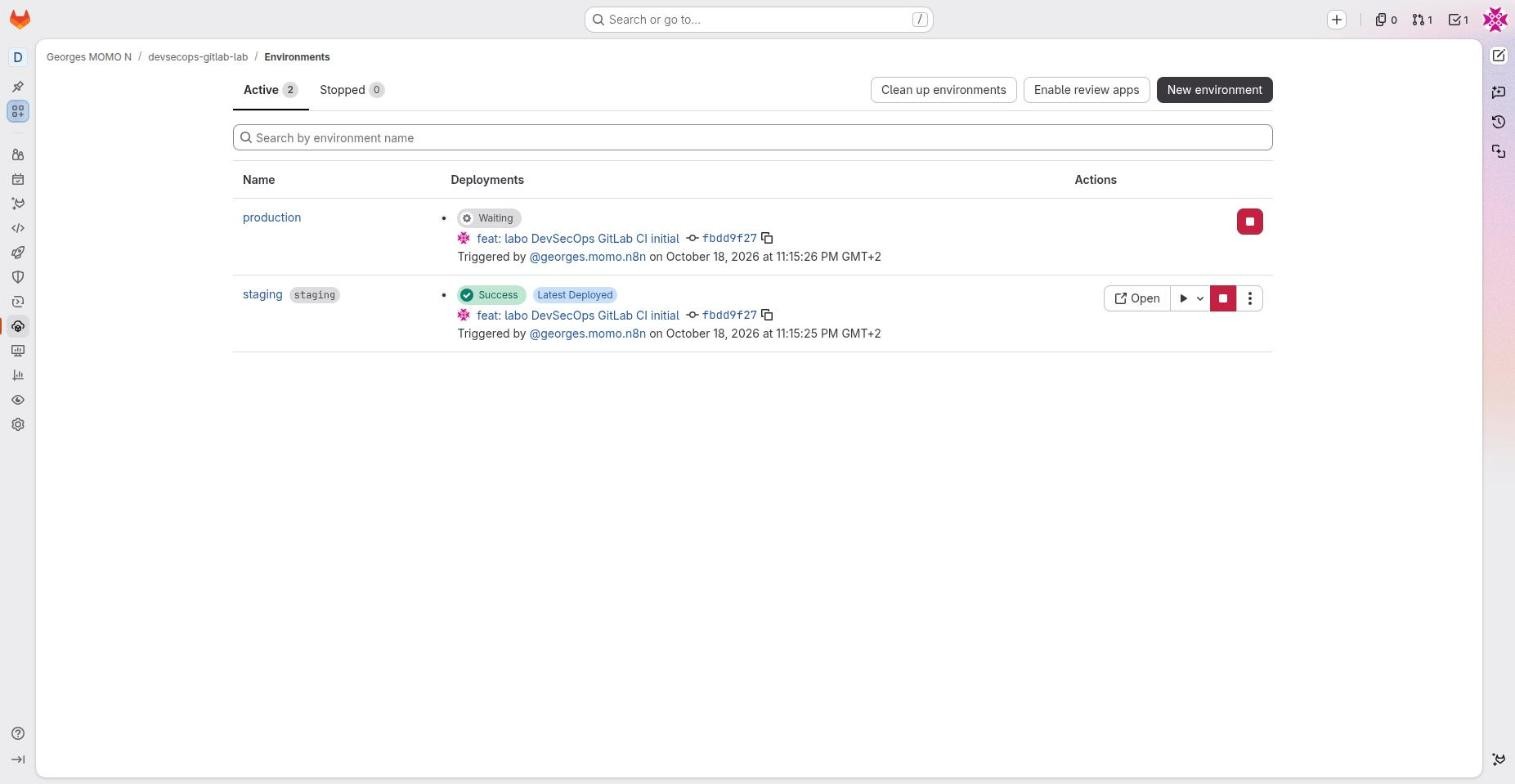
EnvironmentsFree (protected environments: Premium)Operate, Environments: each deployment target (staging, production…) with its latest deployment, history and actions.
- Why it exists
- Know what runs where, redeploy an earlier version, start or stop a deployment.
- In real companies
- production shows Waiting while the manual job waits for a click; staging shows Success, latest deployed.
- How to use it
environment:name, url, deployment_tier, action (start, stop, prepare, verify, access), on_stop, auto_stop_in. Rollback or Re-deploy from the history.- Limits and pitfalls
- Protected environments (who may deploy) and deployment approvals are Premium. In Free, protection comes from protected branches and manual jobs.
- Exam tip
- Static environment versus dynamic one (
review/$CI_COMMIT_REF_SLUG).
Review appsFreeDynamic environments created per merge request, with a preview URL and automatic stop.
- Why it exists
- Try a merge request in real conditions before merging, and run DAST against it.
- In real companies
- Each merge request deploys
review/my-branchinto a Kubernetes namespace that is destroyed when the merge request closes. - How to use it
environment: name: review/$CI_COMMIT_REF_SLUG, url, on_stop: stop_review, auto_stop_in: 1 week. The "Enable review apps" button generates an example.- Limits and pitfalls
- They cost resources: always set
auto_stop_inand a reliable stop job.
A red job: read the end of the log first (the error), then the beginning (image, runner, variables). Retry reruns that job alone. For a syntax problem, use the pipeline editor's Validate tab, which simulates the whole configuration with includes. To understand rules, temporarily add - echo "$CI_PIPELINE_SOURCE $CI_COMMIT_BRANCH" to the script.
| Symptom | Most likely cause | Where to look |
|---|---|---|
| No pipeline at all after a push | workflow:rules matched nothing or when: never (for example a branch with an open merge request) | The merge request's Pipelines tab; Validate in the editor |
| A job is missing from the pipeline | No rule matched (often CI_COMMIT_BRANCH in a merge request pipeline) | The rules simulator in station 6 |
| A variable is empty | Protected variable on an unprotected branch, or wrong environment scope | Settings, CI/CD, Variables |
| Job stuck in Pending | No runner with matching tags is available | Settings, CI/CD, Runners |
IMAGE_DIGEST empty in a later job | That job does not need build, so it did not get the dotenv report | The job's needs |
| Cannot connect to the Docker daemon | Missing docker:dind service or DOCKER_TLS_CERTDIR | The .docker hidden job |
Hands-onRetry versus run again
In your fork, open the latest pipeline on main. Retry only deploy_staging. Then start production with the Play button. Where can you see that production is now deployed, and which commit it runs?
Show the solution
Operate, Environments: production changes from Waiting to Success and shows the deployed commit SHA. The job log of deploy_production ends with the same smoke test as staging. Retry reused the same pipeline and the same digest: nothing was rebuilt.
Security: scanners and what they really do
- say what each GitLab scanner finds and which tier it needs;
- explain why GitLab's scanners do not block the pipeline in Free, and how the lab adds a real gate;
- react correctly to a leaked secret.
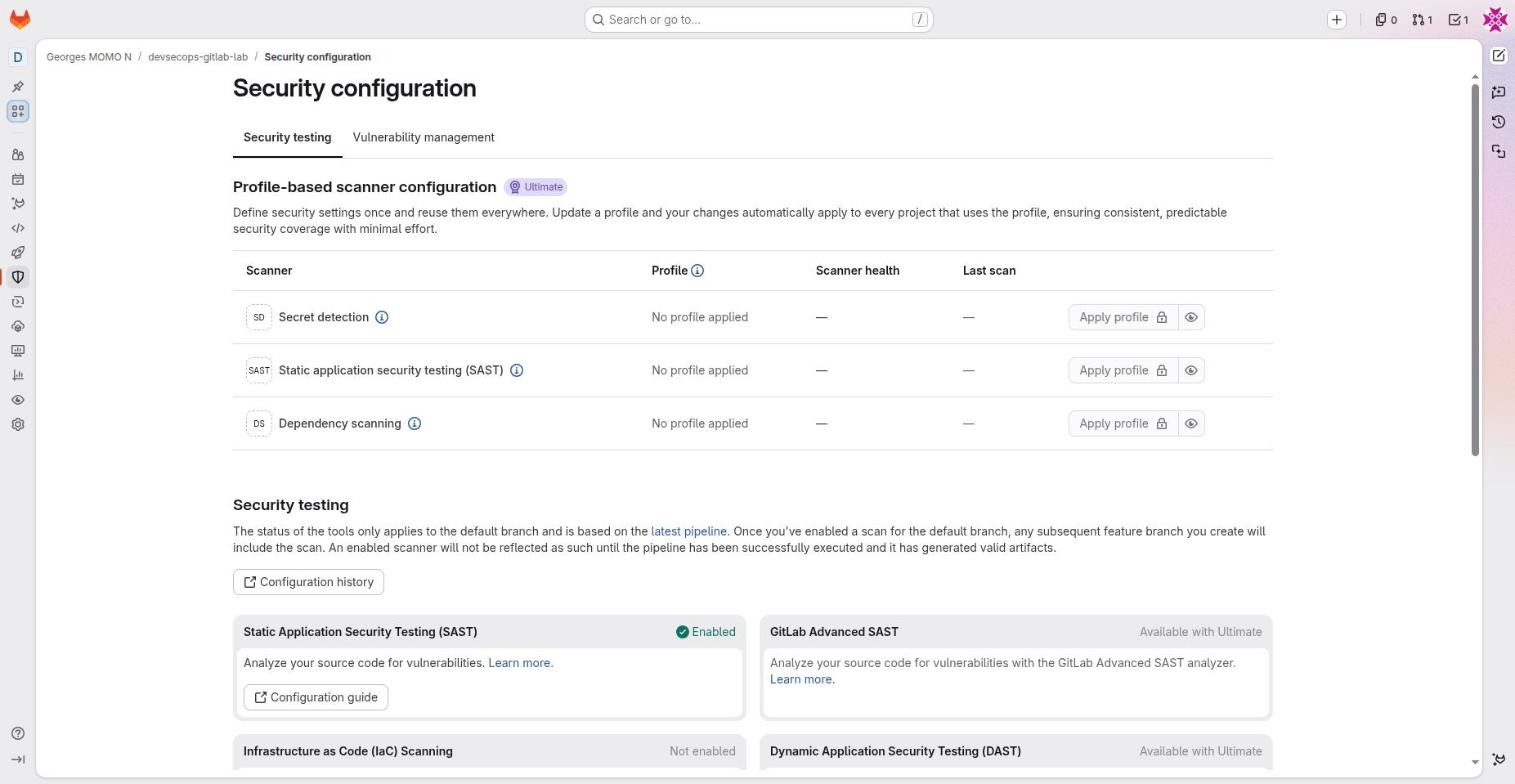
Secure, Security configuration lists the scanners, their state on the default branch and the tier they need. A scanner shows as Enabled because the latest pipeline on main produced a valid report for it.
| Scanner | Finds | When it runs | Tier |
|---|---|---|---|
| SAST (Semgrep) | Flaws in your source code (injection, weak crypto…) | Every pipeline, alongside the tests | Free JSON report; Ultimate Advanced SAST, merge request widget |
| Secret detection | Keys, tokens, passwords in commits | Every pipeline; before the push with push protection | Free pipeline; Ultimate push protection |
| Container scanning (Trivy) | CVEs in the image's packages | After the build | Free |
| Dependency scanning | CVEs in declared dependencies, SBOM | Every pipeline | Ultimate |
| IaC scanning | Misconfigurations in Terraform, Kubernetes, Dockerfile | Every pipeline | Free |
| DAST, API fuzzing | Flaws in the running application | After a deployment (review app) | Ultimate |
GitLab's scanner jobs are non-blocking by design: they publish a report and stay green. That is why the lab adds trivy_gate, which really fails. In Ultimate, blocking is usually done with merge request approval policies instead: a critical finding requires the security team's approval before merge.
SAST reads your recipe looking for dangerous steps. Dependency and container scanning check the ingredients' recall notices. Secret detection looks for the house key you left taped to the recipe. DAST tastes the finished dish.
SASTFree (Advanced SAST and MR widget: Ultimate)Static analysis of your source code, based on Semgrep and GitLab rules.
- Why it exists
- Find flaws (SQL injection, unsafe deserialisation, weak crypto) before the code runs.
- In real companies
- Runs on every merge request in parallel with the tests; the security team triages results.
- How to use it
include: template: Jobs/SAST.gitlab-ci.yml(or thecomponents/sastcomponent). Thesemgrep-sastjob writesgl-sast-report.json.- Limits and pitfalls
- Free: a JSON report artifact only. Ultimate: results in the merge request, vulnerability report, cross-file Advanced SAST.
Secret detectionFree (push protection: Ultimate)A search for secrets (cloud keys, GitLab tokens, private keys…) in commits.
- Why it exists
- Catch a leaked secret as early as possible so it can be revoked.
- In real companies
- Someone commits a
.envfile: thesecret_detectionjob reports it, the team revokes the key. - How to use it
include: template: Jobs/Secret-Detection.gitlab-ci.yml. Ultimate adds secret push protection, which blocks the push itself.- Limits and pitfalls
- A detected secret is already compromised: revoke it, do not just delete it from the code (git history keeps it).
Container scanningFreeA scan of the packages inside the Docker image (OS and language packages) with Trivy.
- Why it exists
- Know the CVEs of what you ship, not only of the code you wrote.
- In real companies
- The lab scans
$IMAGEright after the build; a scheduled rebuild catches newly published CVEs. - How to use it
include: template: Jobs/Container-Scanning.gitlab-ci.ymlandCS_IMAGE. To block, add a Trivy job with--exit-code 1(trivy_gate).- Limits and pitfalls
- Many CVEs have no fix yet:
--ignore-unfixedavoids blocking on what you cannot fix.
Dependency scanningUltimateAnalysis of declared dependencies (requirements, package-lock, pom) and generation of an SBOM.
- Why it exists
- Find vulnerable libraries and know what your software is made of.
- In real companies
- An alert on
gunicorn==22.0.0in a merge request; a list of licences for the legal team. - How to use it
- The
components/dependency-scanningcomponent or Auto DevOps. Results in Secure, Dependency list. - Limits and pitfalls
- Ultimate. In Free the lab relies on Trivy (on the image) and you can add Renovate for updates.
Vulnerability reportUltimateThe consolidated list of vulnerabilities found on the default branch, each with a status (detected, confirmed, dismissed, resolved).
- Why it exists
- Triage, assign and follow flaws over time, per project or per group.
- In real companies
- Every week the security team reviews new critical findings across the group and opens issues.
- How to use it
- Secure, Vulnerability report; Vulnerability management in Security configuration.
- Limits and pitfalls
- Ultimate. In Free, read the jobs' JSON reports.
Security policiesUltimateCentral rules: scan execution policies (force scans), pipeline execution policies (force jobs), merge request approval policies (require approval when a flaw appears).
- Why it exists
- Make sure every project in a group scans and follows rules, even if its own
.gitlab-ci.ymldoes not. - In real companies
- Any merge request that introduces a critical vulnerability needs the security team's approval; secret detection runs everywhere.
- How to use it
- Secure, Policies, stored in a dedicated policy project.
- Limits and pitfalls
- Ultimate.
Audit eventsPremium (streaming: Ultimate)A log of who did what: role changes, token creation, changes to variables or protected branches.
- Why it exists
- Traceability for compliance and for investigations after an incident.
- In real companies
- Show an auditor who removed the protection on main and when; stream the events to a SIEM.
- How to use it
- Secure, Audit events, filter by date and author.
- Limits and pitfalls
- The menu entry is visible in Free but the feature is limited there.
Hands-onRead a report without Ultimate
Open the latest main pipeline of your fork, open the semgrep-sast job and download its artifact. Then open trivy_gate's artifact sbom.cdx.json and find the gunicorn component.
Show a hint
Job page, right column, Job artifacts, Download or Browse. The SAST report is gl-sast-report.json; each finding has a severity, a location and identifiers.
ChallengeA secret was committed. What now?
A teammate committed a cloud access key in config.py and the secret_detection report caught it. Put the response steps in order.
Show the solution
- Revoke the key at the provider immediately. It is compromised the moment it was pushed.
- Check the provider's logs for use of the key since the push.
- Store the new key as a masked, protected CI/CD variable (or better, replace it with OIDC).
- Remove it from the code in a merge request. Rewriting history is optional and does not undo the exposure.
- Prevent a repeat: secret push protection (Ultimate) or a pre-commit hook.
The settings that matter for DevSecOps
- configure CI/CD variables with the right visibility and protection;
- choose and secure runners;
- harden main with protected branches and merge checks, and connect a Kubernetes cluster safely.
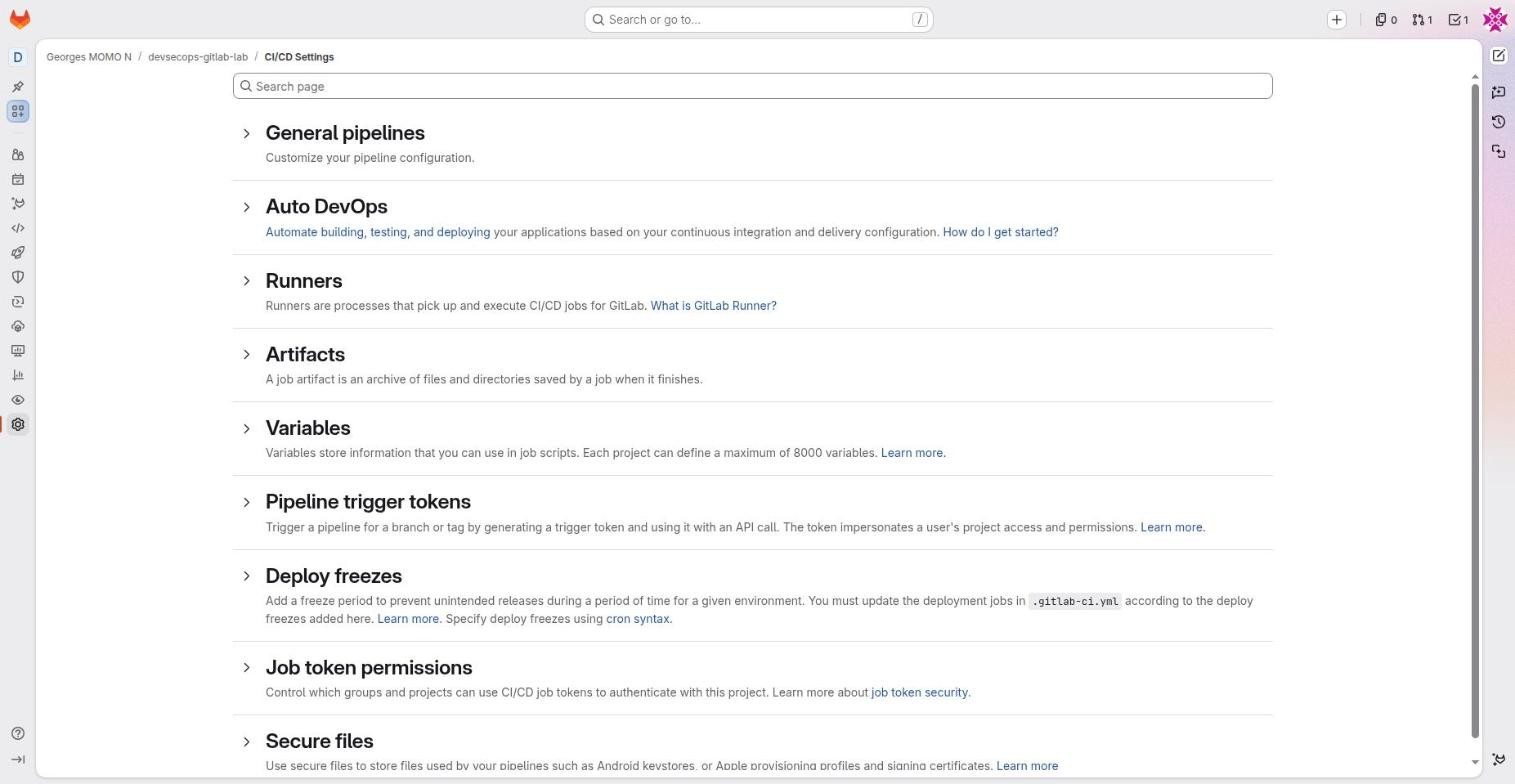
Settings, CI/CD
Auto DevOpsFreeA complete predefined pipeline (build, tests, scans, Kubernetes deployment) used when a project has no .gitlab-ci.yml.
- Why it exists
- Start quickly without writing a pipeline.
- In real companies
- A prototype or a small team without CI skills; a reference to see how GitLab chains its scanners.
- How to use it
- Settings, CI/CD, Auto DevOps. Customisable with variables.
- Limits and pitfalls
- A black box: as soon as needs get specific, an explicit
.gitlab-ci.yml(like the lab) is easier to control.
Pipeline trigger tokensFreeTokens that start a pipeline through an API call (POST /projects/:id/trigger/pipeline).
- Why it exists
- Let an external system (another CI, a release tool) start the pipeline.
- In real companies
- An in-house release tool starts the deployment pipeline with variables.
- How to use it
- Settings, CI/CD, Pipeline trigger tokens. In YAML,
CI_PIPELINE_SOURCEistrigger. - Limits and pitfalls
- The token acts with its creator's permissions: rotate it, and prefer
trigger:in CI for internal chains.
Deploy freezesFreePeriods, written as cron expressions, during which deployments are not allowed.
- Why it exists
- Avoid releasing during holidays or a big commercial event.
- In real companies
- A freeze from 20 December to 2 January.
- How to use it
- Settings, CI/CD, Deploy freezes. The deployment job must check
$CI_DEPLOY_FREEZE(rules: - if: $CI_DEPLOY_FREEZE, when: never). - Limits and pitfalls
- Without that rule in the YAML, the freeze blocks nothing.
CI_JOB_TOKEN and job token permissionsFreeThe automatic token of every job, valid while the job runs, with the permissions of the user who started the pipeline, limited to some APIs.
- Why it exists
- Authenticate to the registry, to packages, clone another project, with no secret to manage.
- In real companies
- The lab pushes its image with it; an application project downloads a package from the library project.
- How to use it
- Settings, CI/CD, Job token permissions: the list of groups and projects allowed to use THEIR token to access THIS project (an inbound allowlist).
- Limits and pitfalls
- It inherits the user's rights: a Maintainer running a pipeline gives the token more power. Keep the allowlist minimal.
- Exam tip
- Unlike GITHUB_TOKEN, its permissions are not set per job in the YAML.
Secure filesFreeStorage for sensitive files (Android keystores, Apple profiles, certificates) that jobs can download.
- Why it exists
- Sign mobile apps without putting a binary secret into a variable.
- In real companies
- An iOS pipeline that fetches its provisioning profile at build time.
- How to use it
- Settings, CI/CD, Secure files, then the
download-secure-filestool in the job. - Limits and pitfalls
- Limits on size and number per project; every job of the project can read them.
CI/CD variables
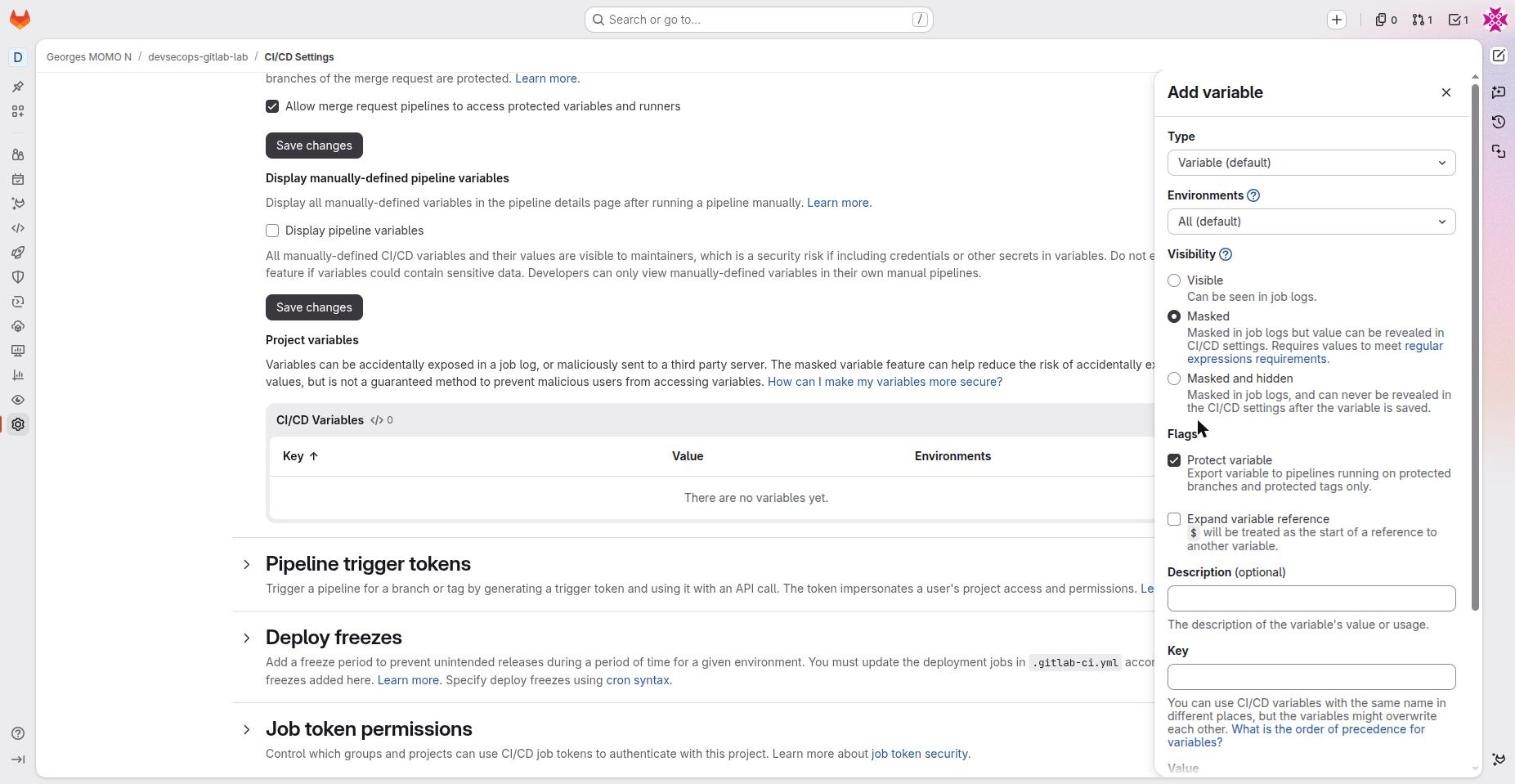
CI/CD variablesFreeKey/value pairs injected into jobs, defined on a project, group or instance, with a type, an environment scope, a visibility and flags.
- Why it exists
- Give pipelines configuration and secrets without writing them in the repository.
- In real companies
- An API key masked and protected (only on main and tags); a
KUBECONFIGof type File scoped to production. - How to use it
- Settings, CI/CD, Variables, Add variable. Type Variable or File; Environments (scope); Visibility: Visible, Masked, Masked and hidden; Flags: Protect variable, Expand variable reference.
- Limits and pitfalls
- Masked needs a single-line value of at least 8 characters. Masked and hidden can never be read again. A protected variable is absent from pipelines of unprotected branches: a very common cause of "my variable is empty".
- Exam tip
- Protected = only on protected branches and tags. Know the precedence order.
Variable precedence: who wins?
The same variable name can be defined in many places. GitLab applies a precedence order, from strongest to weakest. Use the arrows to put the sources in the right order, then check.
Runners
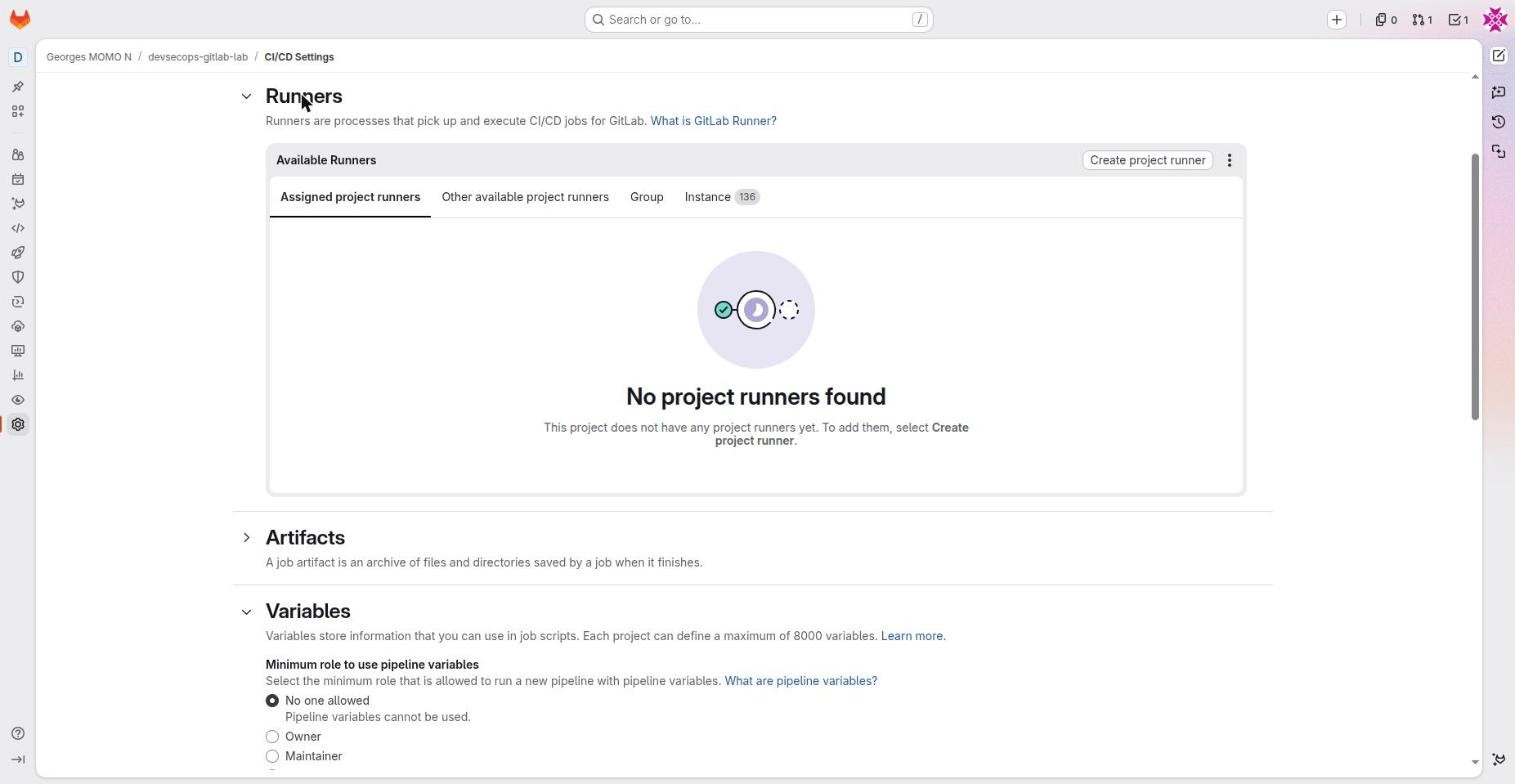
RunnersFreeThe agents that execute jobs: instance runners (provided by GitLab.com), group runners, project runners.
- Why it exists
- Choose where and how jobs run: GitLab's machines, or yours for internal network access, GPUs or compliance.
- In real companies
- Instance runners for everyday CI; a project runner inside the internal network, tagged
deploy-prodand protected, for deployments. - How to use it
- Settings, CI/CD, Runners, Create project runner (token starting with
glrt-), installgitlab-runnerand register it. In YAML:tags: [deploy-prod]. - Limits and pitfalls
- A shell runner shared between projects can leak data from one job to another: prefer the docker or kubernetes executor, and protect deployment runners.
- Exam tip
- Executors (docker, shell, kubernetes, docker-autoscaler). A job without tags can go to any runner that accepts untagged jobs.
Protected branches (Settings, Repository)
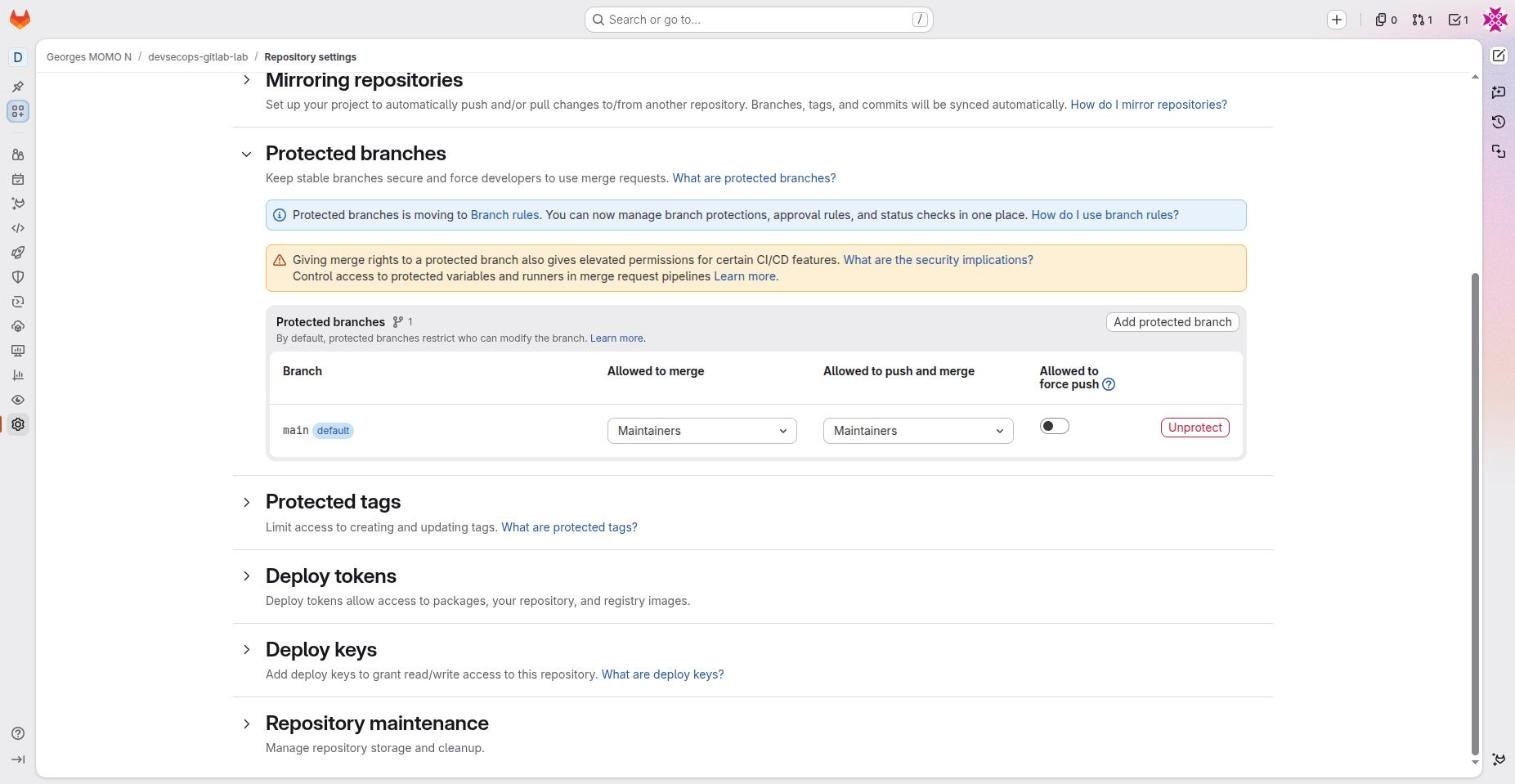
Protected branches and tagsFree (code owner approval: Premium)Rules on a branch or pattern: who can merge, who can push, whether force push is allowed.
- Why it exists
- Prevent direct pushes and history rewrites on main and release branches.
- In real companies
- main: Allowed to push and merge = No one, Allowed to merge = Developers + Maintainers, no force push. Every change goes through a merge request.
- How to use it
- Settings, Repository, Protected branches (or Branch rules). Protected tags for
v*. The default branch is protected when the project is created. - Limits and pitfalls
- By default Maintainers can still push directly to main: tighten it to No one if you want merge requests only.
- Exam tip
- Protected variables and protected runners only serve protected branches.
Deploy tokens and deploy keysFreeDedicated access for one use: a deploy token for registry, packages or repository; a deploy key is an SSH key that can clone.
- Why it exists
- Give a server or a cluster exactly the access it needs, without a human account.
- In real companies
- A Kubernetes cluster pulls images from the registry with a
read_registrydeploy token. - How to use it
- Settings, Repository, Deploy tokens / Deploy keys. A deploy token named
gitlab-deploy-tokenis exposed to CI automatically. - Limits and pitfalls
- Deploy keys do not expire by default: keep an inventory and rotate them.
Merge checks (Settings, Merge requests)
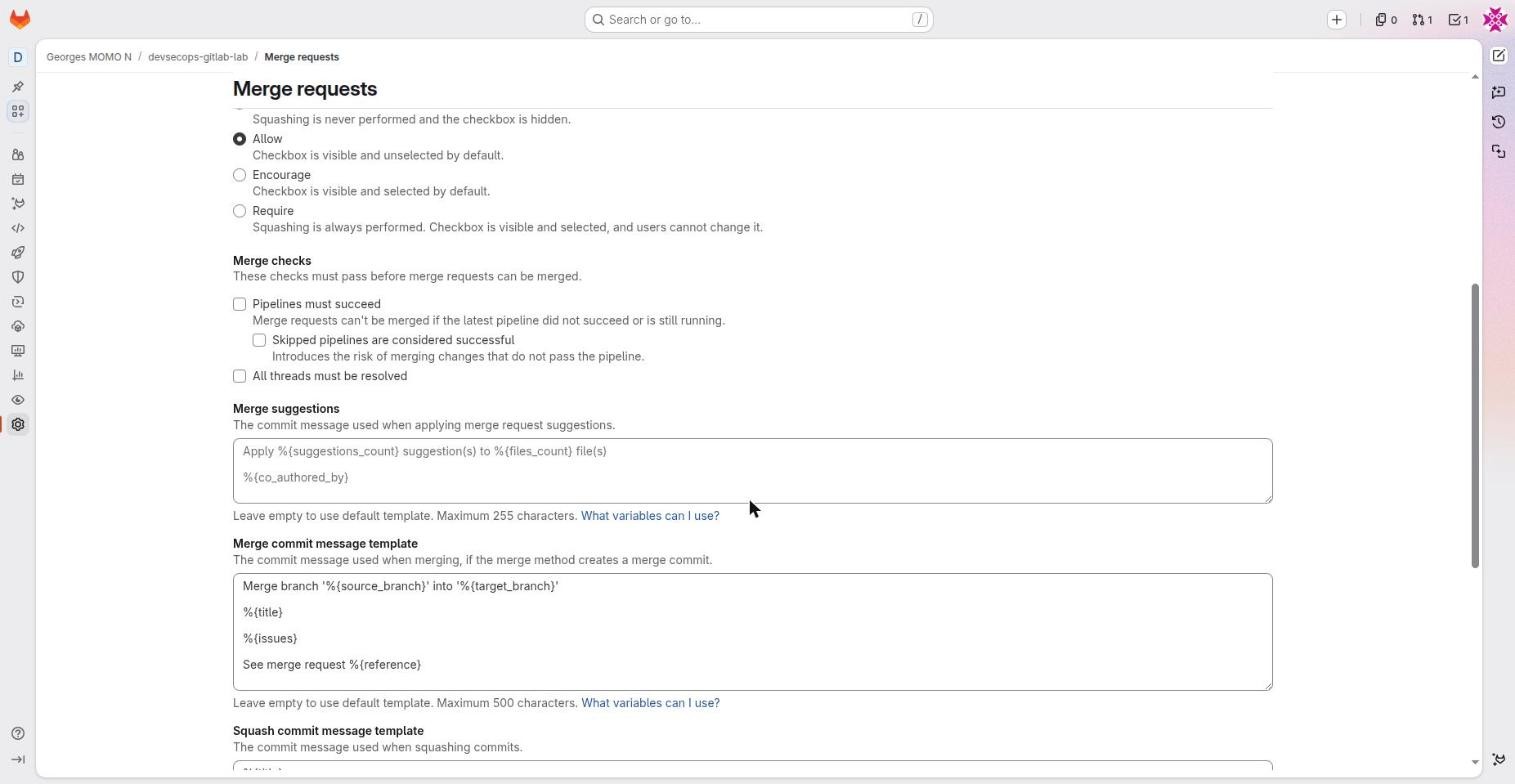
Merge checksFreeMandatory conditions to merge: pipeline succeeded, threads resolved, and more depending on your tier.
- Why it exists
- Stop a red merge request, or one with open review comments, from being merged.
- In real companies
- "Pipelines must succeed" and "All threads must be resolved" on every project.
- How to use it
- Settings, Merge requests, Merge checks. Same page: merge method (merge commit, semi-linear, fast-forward) and squash policy.
- Limits and pitfalls
- They are not ticked by default: turn them on. "Skipped pipelines are considered successful" opens a gap if rules skip the whole pipeline.
Merged results and merge trainsPremiumMerged results: test the result of merging the merge request into its target. Merge train: a queue of merge requests, each tested together with the ones ahead of it.
- Why it exists
- Keep main green even when many merge requests land on the same day.
- In real companies
- Thirty developers on a monorepo: without a merge train, two merge requests that are green separately break main together.
- How to use it
- Settings, Merge requests, Merge options. Pipelines must run on
merge_request_event. - Limits and pitfalls
- Premium.
The GitLab agent for Kubernetes (Operate, Kubernetes clusters)
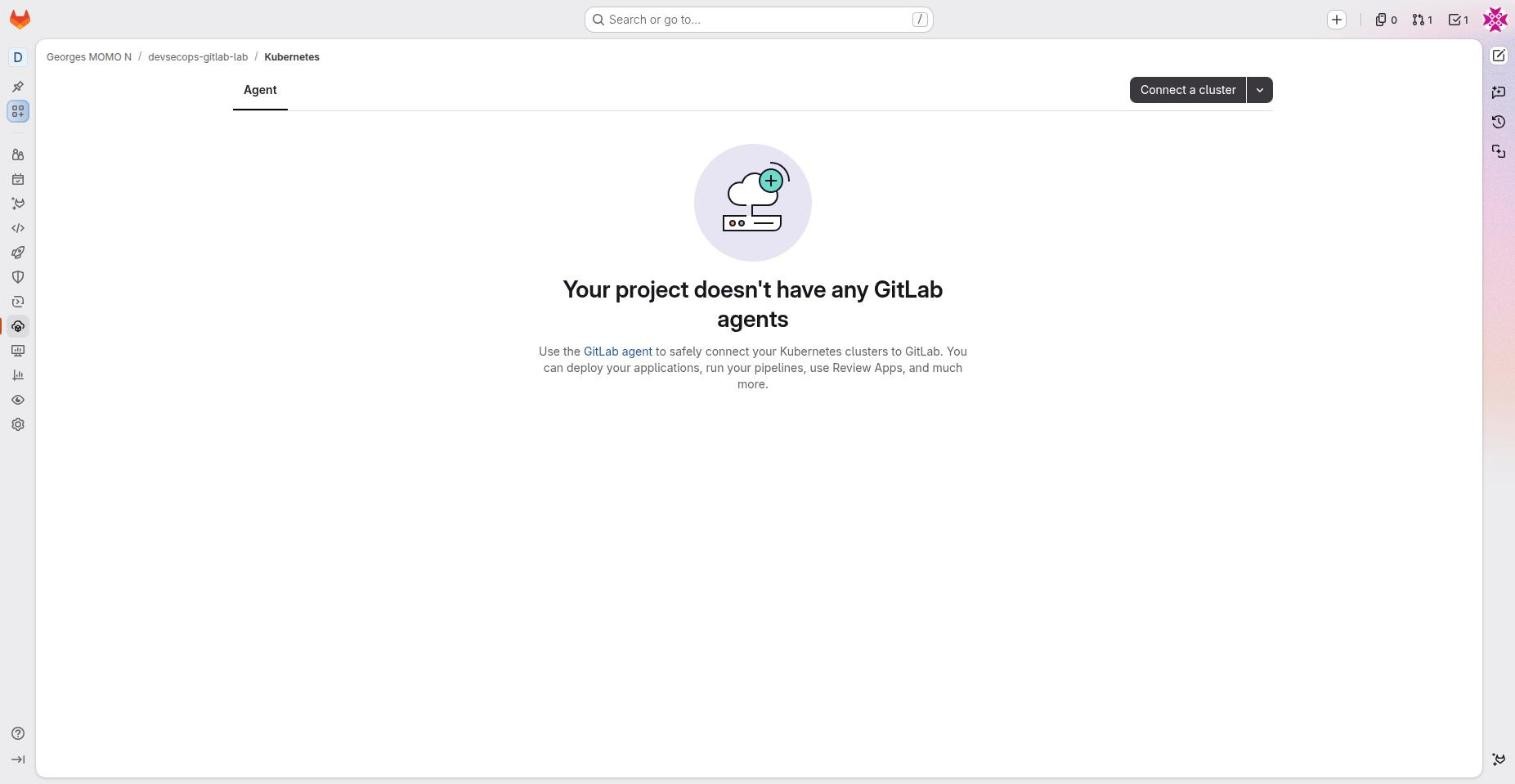
GitLab agent for KubernetesFreeA component (agentk) installed in your cluster that opens an outbound connection to GitLab. The cluster API is never exposed.
- Why it exists
- Deploy from CI to a private cluster, do GitOps (Flux) and see cluster resources in GitLab.
- In real companies
- The production cluster sits behind a firewall; jobs on main of the application project get a kubectl context through
ci_access. - How to use it
- Operate, Kubernetes clusters, Connect a cluster, install with Helm. Config in
.gitlab/agents/<name>/config.yaml(ci_access: projects/groups). In the job:kubectl config use-context <path>:<agent>. - Limits and pitfalls
- The old certificate-based integration is deprecated: do not use it. Limit
ci_accessto the right projects and environments.
The third course of the series, Kubernetes + Helm, teaches the cluster side: objects, debugging, administration and Helm charts.
Hardening checklist for your fork
These actions touch security and human decisions, so they are worth doing by hand once. The boxes remember your progress in this browser.
- Forbid direct pushes to main: Settings, Repository, Protected branches, main, "Allowed to push and merge" = No one.
- Turn on merge checks: Settings, Merge requests, tick "Pipelines must succeed" and "All threads must be resolved".
- Add a registry cleanup policy: Settings, Packages and registries, Cleanup policies (for example keep the 10 latest tags, remove tags older than 30 days).
- Protect and create a version tag: protect
v*, then Code, Tags, New tagv1.0.0. The tag pipeline builds, scans and signs; deployments stay reserved for main. - Schedule a weekly rebuild: Build, Pipeline schedules, cron
0 6 * * 1on main, to catch newly published CVEs. - Deploy production by hand: press Play on
deploy_productionand check Operate, Environments.
Integrations, tokens and machine accounts
- pick the right identity for an automation: job token, project token, service account, OAuth app;
- connect GitLab to other tools with integrations and signed webhooks;
- explain what replaces GitHub Apps in GitLab.
GitLab has no exact equivalent of GitHub Apps (an installable bot identity with fine permissions and short-lived tokens). It spreads that need over several building blocks. The right choice depends on who is acting and for how long.
| Identity | Lives | Use it for |
|---|---|---|
| CI_JOB_TOKEN | For one job | The pipeline pushes an image, pulls a package, clones an allowed project |
| Project access token / group token | Up to a year, with a bot user | A bot that comments on merge requests, a release tool |
| Service account | Long-lived account, several tokens | A tool shared across many projects (Renovate) |
| OAuth application | Tokens on behalf of a consenting user | "Sign in with GitLab", an internal portal |
| Webhook | No identity: GitLab calls you | React to events in real time |
| Native integration | Configured by a form | Slack, Jira, Teams |
Least privilege, shortest lifetime: CI_JOB_TOKEN first, then a project token, then a service account. Avoid personal access tokens for automation: they carry all of someone's rights and break when that person leaves.
| Need | GitHub | GitLab |
|---|---|---|
| The pipeline pushes an image or reads another repository | GITHUB_TOKEN | CI_JOB_TOKEN (+ allowlist in job token permissions) |
| A bot comments on merge requests, opens tickets | GitHub App | Project or group token, or a service account Premium |
| A SaaS app asks for access to an account | GitHub App or OAuth App | OAuth application |
| React to an event | App webhook | Project or group webhook |
| An external AI agent works in the repository | App + Copilot or Claude | External agents Premium, or a CI job that calls the agent |
Project access tokens
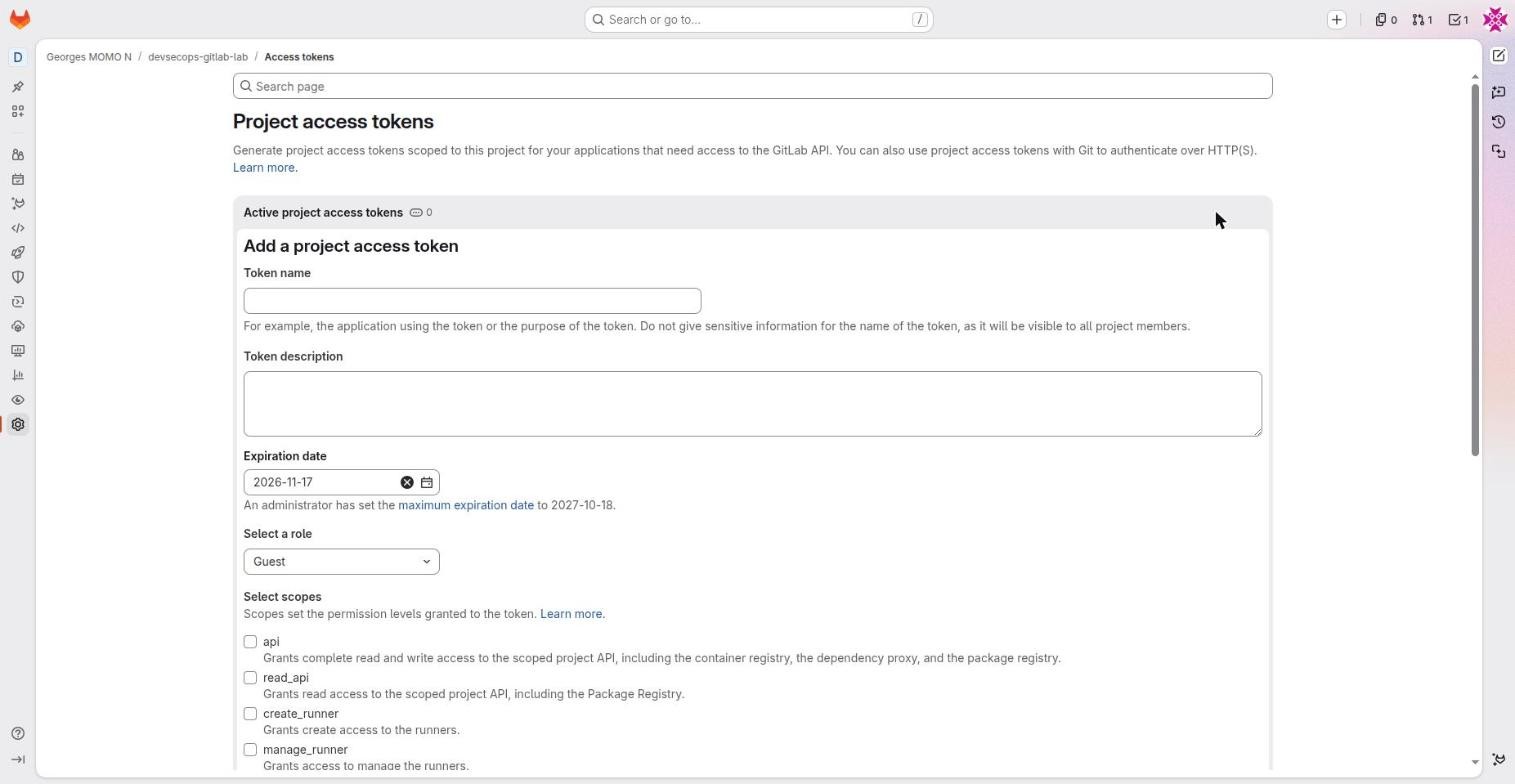
Project access tokensPremium on GitLab.comA token bound to the project, with a role, scopes and an expiry date. It creates a bot user that is a member of the project.
- Why it exists
- Automate (API, git, registry) without using a person's account. The closest thing to a simple GitHub App.
- In real companies
- A bot that posts AI review comments on merge requests; a release tool that pushes tags.
- How to use it
- Settings, Access tokens, Add new token: name, description, expiry, role (Guest to Owner), scopes (api, read_api, read_repository, write_repository, read_registry…). The token is shown only once.
- Limits and pitfalls
- On GitLab.com, Premium and Ultimate only (the form is visible in Free). Maximum lifetime 365 days by default. Unlike a GitHub App, no short-lived auto-renewed token.
- Exam tip
- Project, group, personal, deploy token and CI_JOB_TOKEN: know which one fits which need.
Service accountsPremiumNon-human accounts created at group (or instance) level, which can hold several tokens and be members of several projects.
- Why it exists
- A stable identity for a tool that touches many projects.
- In real companies
- The company's Renovate bot, member of every project of the group, with a token renewed every 90 days.
- How to use it
- Group settings, Service accounts, then add as a member and create tokens.
- Limits and pitfalls
- Premium and Ultimate. Does not use a paid seat.
OAuth applicationsFreeAn external application registered in GitLab, which gets a token on behalf of a user after consent.
- Why it exists
- "Sign in with GitLab" and delegated API access for a third-party tool.
- In real companies
- An internal portal (Backstage) that shows the merge requests of the signed-in user.
- How to use it
- Avatar, Edit profile, Applications, or group settings, Applications: name, redirect URL, scopes. Authorization code flow (with PKCE).
- Limits and pitfalls
- The application acts with the user's rights within its scopes: ask for the minimum (read_user, read_api).
Personal access tokensFreeA token that acts as you, with scopes and an expiry date.
- Why it exists
- git over HTTPS, personal scripts, the glab CLI.
- In real companies
- Your laptop:
git cloneover HTTPS when SSH is blocked. - How to use it
- Avatar, Edit profile, Access tokens. Minimal scopes, short expiry.
- Limits and pitfalls
- Avoid them for team automation: they carry all your rights and break when you leave.
Integrations
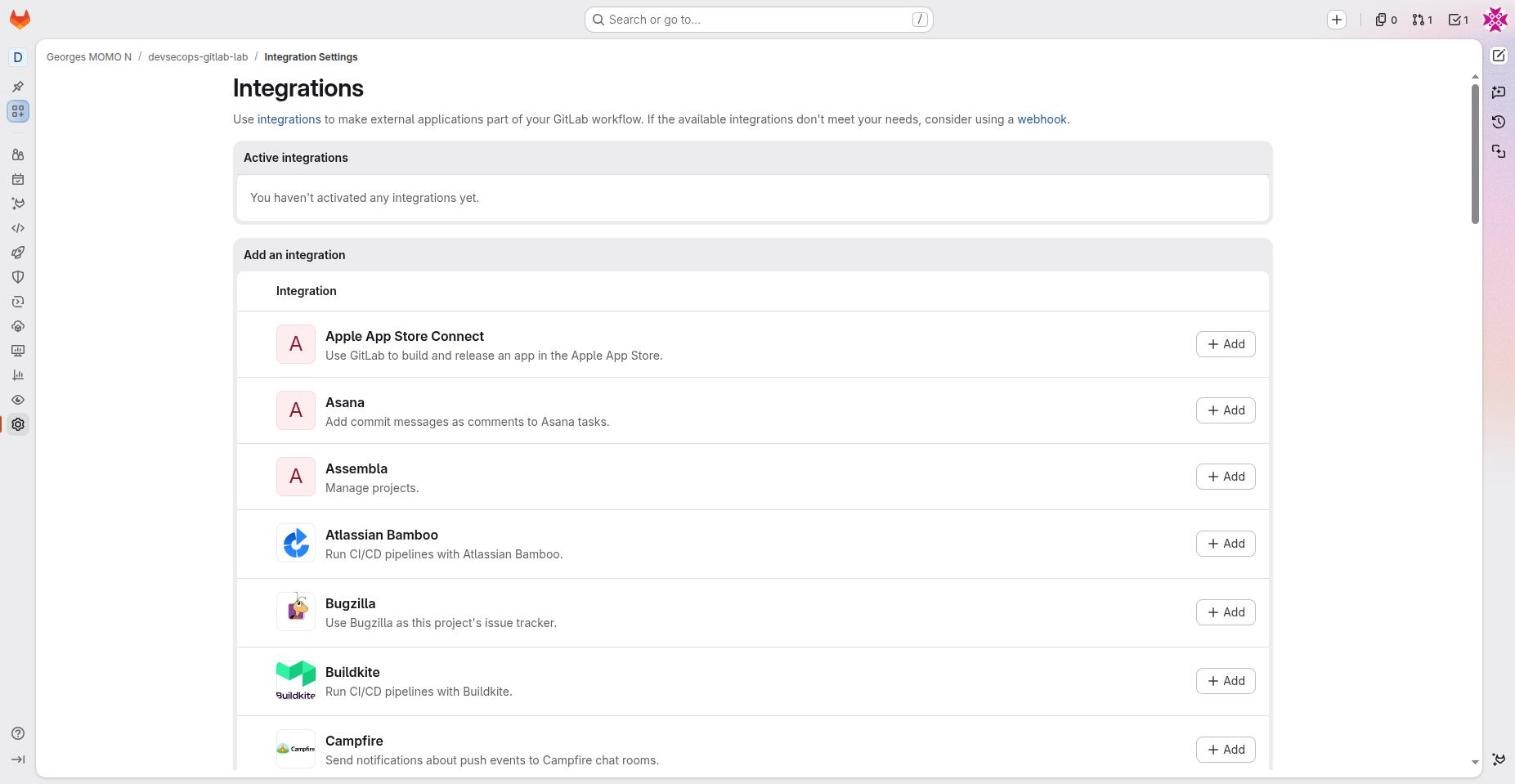
IntegrationsFreeNative connectors to external tools (Slack, Jira, Teams, Jenkins, Asana…), configured with a form.
- Why it exists
- Connect GitLab to the rest of the toolchain without writing code.
- In real companies
- Slack notifications for failed pipelines on main; Jira links in commits and merge requests.
- How to use it
- Settings, Integrations, Add. Also configurable at group or instance level for every project.
- Limits and pitfalls
- If the tool is not listed, use a webhook.
Webhooks
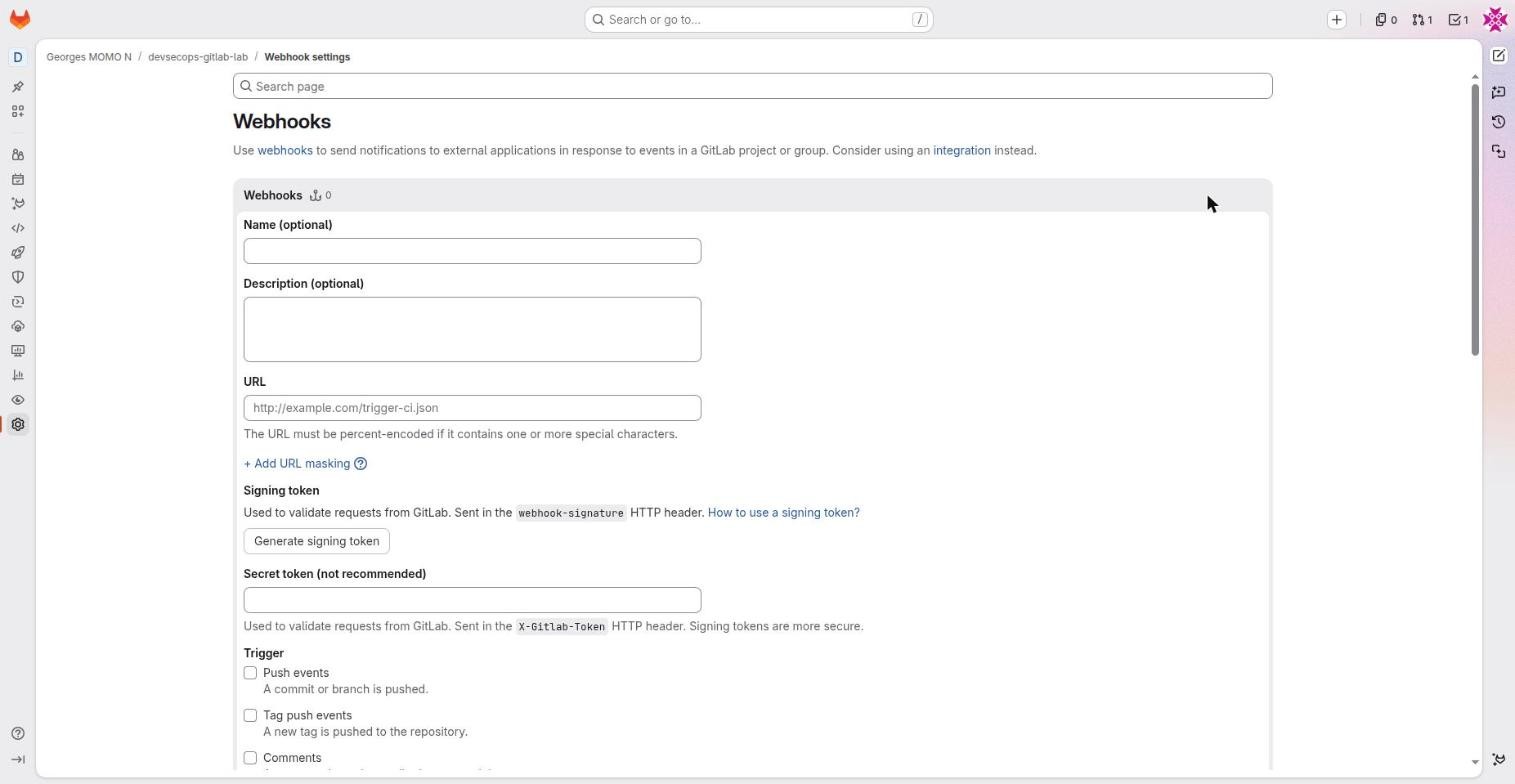
WebhooksFreeAn HTTP POST that GitLab sends to your URL on each chosen event (push, tag, merge request, pipeline, job, deployment…).
- Why it exists
- Trigger an external system in real time: a bot, a deployment tool, an audit trail.
- In real companies
- An internal service receives pipeline events and updates a release dashboard.
- How to use it
- Settings, Webhooks, Add new webhook: URL, signing token (
webhook-signatureheader, recommended) or secret token (X-Gitlab-Token), events, test delivery. - Limits and pitfalls
- Always verify the signature on the receiving side. A webhook that fails too often is disabled automatically.
ChallengePick the identity
For each case, choose an identity: (a) the pipeline downloads a package from another project of the same group; (b) a nightly script outside GitLab opens issues in 40 projects; (c) your team's chat must be told when main fails.
Show the solution
(a) CI_JOB_TOKEN, after adding the consuming project to the source project's job token allowlist. (b) A service account with a token scoped to api and a short expiry (Premium), or a group access token. (c) The native Slack or Teams integration, or a pipeline-events webhook.
Publish a website with GitLab Pages
- publish a static site from a pipeline;
- explain the
pagesjob line by line; - find the site's address and control who can see it.
The page you are reading is published by the lab's own pipeline. The course lives in docs/; a tiny job copies it into public/, and GitLab Pages serves whatever a job named pages leaves in public/ as an artifact.
pages:
  stage: deploy
  image: busybox:1.37
  needs: []1
  script:
    - rm -rf public && cp -r docs public2
  artifacts:
    paths: [public]3
  rules:
    - if: $CI_COMMIT_BRANCH == $CI_DEFAULT_BRANCH4
- The site does not depend on the image, so it starts immediately instead of waiting for the six stages.
- No build step: the course is plain HTML, CSS and JavaScript. A documentation generator (MkDocs, Hugo) would run here.
- The artifact named
publicis what Pages publishes. - Only the default branch publishes. Merge requests can still preview the site through the job's artifacts.
After the first successful run, Deploy, Pages shows the address. New projects on GitLab.com often get a unique domain such as devsecops-gitlab-lab-xxxx.gitlab.io; you can switch to namespace.gitlab.io/project on the same page, add a custom domain, or restrict access to project members.
GitLab PagesFreeHosting for static websites produced by a pipeline job.
- Why it exists
- Publish documentation, a report or a small site without running a server.
- In real companies
- Technical documentation built by MkDocs on every merge to main; a coverage report; this very course.
- How to use it
- A job named
pagesthat leaves apublic/folder as an artifact. The URL appears in Deploy, Pages. - Limits and pitfalls
- New projects on GitLab.com often get a unique domain (
project-xxxx.gitlab.io) rather thannamespace.gitlab.io/project. Access control for private sites is available.
Hands-onPublish your fork's copy
Push any change to main in your fork. When the pages job is green, open Deploy, Pages and visit your own copy of this course.
Show a hint
The first deployment can take a few minutes to become reachable. If the menu entry is missing, check that Pages is enabled in Settings, General, Visibility.
AI in GitLab: Duo, agents and flows
- tell Duo Chat, agents and flows apart;
- explain what the AI features cost and which tier they need;
- add an AI review job to a pipeline without a paid tier, safely.
GitLab Duo groups GitLab's AI features. Its newest part, the Agent Platform, runs agents (a role, some tools, a model) and flows (several agents chained for one task: turn an issue into a merge request, fix a pipeline, review code).
Duo Chat (right panel)
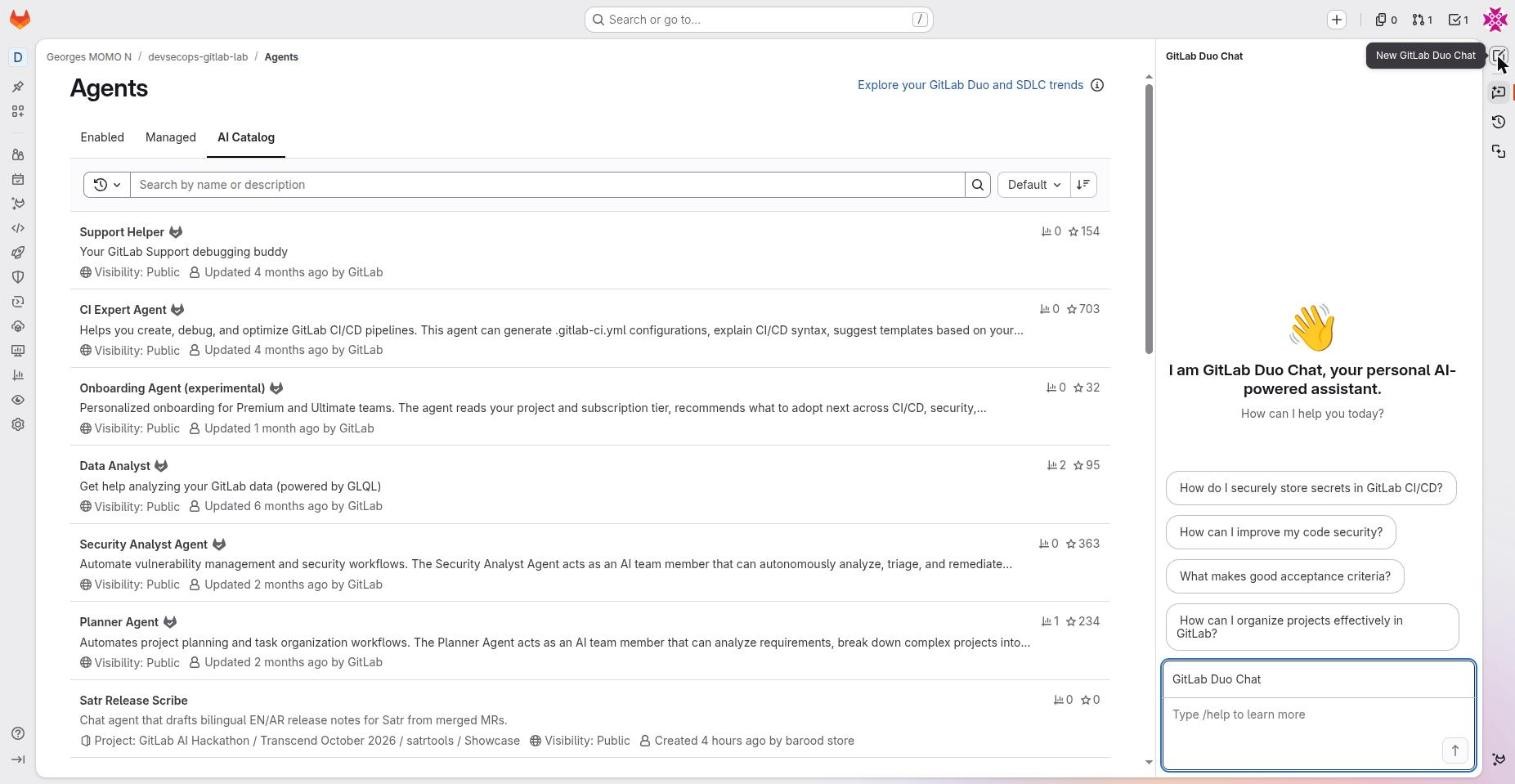
GitLab Duo ChatPaid add-on or GitLab CreditsA conversational assistant in the right panel that knows the context of the page (project, issue, merge request, job, file).
- Why it exists
- Explain a pipeline, a failing job or a vulnerability; suggest code or configuration; answer questions about GitLab.
- In real companies
- "Why does this job fail?" on a red log; "How do I store a secret in GitLab CI?".
- How to use it
- Icon at the top right (New GitLab Duo Chat);
/helplists commands;/explain,/tests,/refactorwork best on selected code in an IDE. Model picker in the input field. - Limits and pitfalls
- Uses GitLab Credits depending on your plan. Never paste a secret into the chat.
Agent Platform and the CI/CD Catalog
Duo Agent PlatformCredits (some agents: Premium or Ultimate)GitLab's agent platform: agentic chat, foundational agents (Planner, Security Analyst, Data Analyst, CI Expert…), custom agents and flows.
- Why it exists
- Delegate tasks to agents that read and change the project: plan, analyse vulnerabilities, write a pipeline.
- In real companies
- The Security Analyst triages vulnerabilities; the Planner breaks an epic down; the CI Expert proposes a
.gitlab-ci.yml. - How to use it
- Duo panel, pick an agent and a model. AI, Agents to enable catalog agents in the project.
- Limits and pitfalls
- In Free, agentic features are reached by buying GitLab Credits; external agents need Premium; security features need Ultimate. An agent acts with your rights: review its merge requests.
FlowsCreditsChains of agents for a multi-step task, executed on GitLab runners.
- Why it exists
- Automate a whole piece of work: issue to merge request (Developer Flow), code review, fixing a broken pipeline, converting a Jenkins pipeline.
- In real companies
- Assign a simple issue to the Developer Flow and review the merge request it produces.
- How to use it
- From an issue or a merge request (Duo buttons) or from the catalog. Custom flows in YAML.
- Limits and pitfalls
- Consumes credits and compute minutes. Keep human review mandatory.
AI Catalog (AI, Agents)
AI CatalogCreditsThe catalog of agents and flows published by GitLab and the community, with visibility, usage and stars.
- Why it exists
- Find and enable a specialised agent in a project instead of writing one.
- In real companies
- Enable the CI Expert Agent in the platform project; publish an internal "Release Scribe" agent for the company.
- How to use it
- AI, Agents, AI Catalog, pick one, Enable. The Managed tab lists yours.
- Limits and pitfalls
- Community agents are not audited by GitLab: read their instructions and tools before enabling them.
External agents (Claude Code and others)PremiumThird-party agents plugged into the platform, which work in issues and merge requests like GitLab's own agents.
- Why it exists
- Use the coding agent of your choice inside the GitLab flow.
- In real companies
- Mention an external agent in an issue so it opens a merge request.
- How to use it
- Premium/Ultimate, configured at group level. Universal alternative: a CI job that calls the agent (example in this station).
- Limits and pitfalls
- Code and context are sent to the model provider: check your company policy.
MCP (server and clients)Free (external servers for agents: paid, beta)Model Context Protocol: GitLab exposes an MCP server (issues, merge requests, pipelines) to AI tools, and its agents can call external MCP servers.
- Why it exists
- Let Claude, an IDE or another agent read and act on GitLab in a standard way.
- In real companies
- Claude Code on a laptop queries failed pipelines through GitLab's MCP server.
- How to use it
- Documentation page "GitLab MCP server": server URL plus OAuth authentication.
- Limits and pitfalls
- An MCP client acts with your rights: limit the tools it may use.
GitLab CreditsUsage-basedThe usage-based billing unit for the AI features of the Agent Platform.
- Why it exists
- Pay for agents and flows by consumption rather than per seat.
- In real companies
- A monthly pool at group level, monitored by an administrator.
- How to use it
- See the documentation "GitLab Credits and usage billing".
- Limits and pitfalls
- Watch consumption: a flow that loops gets expensive quickly.
An AI review job without a paid tier
You can ask an AI model to review a merge request from the pipeline itself. The idea is the same on GitHub: a job triggered on merge requests, an API key in a masked and protected variable, and a narrowly scoped GitLab token to post the comment. This example uses Claude Code; adapt it to your provider.
claude_review:
  stage: test
  image: node:24-alpine
  rules:
    - if: $CI_PIPELINE_SOURCE == "merge_request_event"
  variables:
    GIT_DEPTH: 0
  script:
    - apk add --no-cache git curl
    - npm install -g @anthropic-ai/claude-code
    - git diff origin/$CI_MERGE_REQUEST_TARGET_BRANCH_NAME...HEAD > mr.diff
    # ANTHROPIC_API_KEY: masked CI/CD variable (Settings, CI/CD, Variables)
    - claude -p "Review mr.diff. List security risks and bugs in at most 10 lines." --allowedTools "Read" > review.md
    # GITLAB_REVIEW_TOKEN: token with the api scope, masked
    - |
      curl -sS --request POST --header "PRIVATE-TOKEN: $GITLAB_REVIEW_TOKEN" \
        --data-urlencode "body@review.md" \
        "$CI_API_V4_URL/projects/$CI_PROJECT_ID/merge_requests/$CI_MERGE_REQUEST_IID/notes"
  allow_failure: true
This job runs on code proposed by the merge request. Do not enable it for merge requests from forks without review; limit the agent's tools (--allowedTools); never give the token more than the scope it needs. A protected variable is not available to merge request pipelines of unprotected branches, which is a safety feature here, not a bug. Anthropic documents an official GitLab CI/CD integration for Claude Code: read it before scaling up.
AI agents act with the rights of whoever runs them. Teams keep human review mandatory on every agent-made merge request, restrict which projects may use agents, and send code to a model provider only if the company's data policy allows it.
Hands-onAsk Duo about the gate
If your account has access to Duo, open the chat on the trivy_gate job page and ask: "Explain what this job does and when it fails." Compare the answer with pin 9 of station 7.
Coming from GitHub: the dictionary
- translate any GitHub Actions concept into its GitLab equivalent;
- spot the real design differences, not just the renamed ones.
This lab has a twin: GitHub Actions DevSecOps, same app, same goals, GitHub version. If you know one platform, this table gets you productive on the other.
| Idea | GitHub | GitLab |
|---|---|---|
| Team container | Organization (one level) | Group and subgroups (nested) |
| Repository | Repository | Project |
| Change proposal | Pull request (#12) | Merge request (!12) |
| Pipeline file | .github/workflows/*.yml (several) | .gitlab-ci.yml (one, plus include) |
| Steps of a job | steps: with uses: or run: | script: (shell), before_script, after_script |
| Reusable building block | Action, reusable workflow | CI/CD component, include, extends, child pipeline |
| Catalog | Marketplace | CI/CD Catalog |
| Order | Everything in parallel, ordered by needs | Stages in sequence, needs for a graph |
| Matrix | strategy.matrix | parallel:matrix |
| Conditions | on: + if: | workflow:rules + rules: |
| Executor | Runner (GitHub-hosted or self-hosted), runs-on | Runner (instance, group, project), tags |
| Pipeline token | GITHUB_TOKEN + permissions: | CI_JOB_TOKEN (rights of the triggering user, allowlist) |
| Secrets | Secrets and variables (repository, environment, organization) | CI/CD variables: masked, protected, hidden (project, group, instance) |
| OIDC | permissions: id-token: write | id_tokens: with aud |
| Approval before deployment | Environment with required reviewers | Protected environment with deployment approvals Premium |
| One deployment at a time | concurrency | resource_group |
| Cancel the older run | cancel-in-progress | interruptible + auto_cancel |
| Manual start | workflow_dispatch | Run pipeline + variables or spec:inputs; job when: manual |
| Image registry | GHCR | Project container registry |
| Dependency updates | Dependabot | Renovate (to install); dependency scanning Ultimate |
| Code analysis | CodeQL | SAST (Semgrep), Advanced SAST Ultimate |
| Branch protection | Rulesets, branch protection | Protected branches, push rules Premium, merge request approvals |
| Bot or integration | GitHub App | Project token, service account, OAuth app, webhook |
| AI | Copilot (chat, review, cloud agent) | GitLab Duo (chat, agents, flows) |
| Web editor, cloud development | github.dev, Codespaces | Web IDE, Workspaces |
| Provenance | Artifact attestations | cosign for images; SLSA provenance for artifacts generated by the runner |
GitHub starts from "everything runs in parallel" and adds order; GitLab starts from "stages run in order" and adds a graph. GitHub's token permissions are set per workflow in YAML; GitLab's job token inherits the triggering user's role. GitHub delegates bots to Apps; GitLab spreads them over tokens and accounts.
Preparing a GitLab certification
- map what you practised here to the certification domains;
- build a revision plan around the quizzes and exercises.
GitLab University offers several certifications. For what this course covers, aim for GitLab Certified CI/CD Associate, then possibly GitLab Certified Security Specialist. The format (questions, practical exam, duration, price) changes over time: check the official exam page before you register.
| Domain | Topics | Where in this course |
|---|---|---|
| Syntax and structure | stages, jobs, script, image, services, variables, hidden jobs, extends, YAML anchors, !reference | 5, 6, 7 |
| Flow control | workflow:rules, rules (if, changes, exists), needs, when, allow_failure, merge request pipelines, parent-child, multi-project | 6, 4 |
| Data between jobs | Artifacts and expire_in, reports (junit, dotenv…), cache and keys, predefined variables, variable precedence | 5, 11 |
| Runners | Instance, group, project; tags; executors (docker, shell, kubernetes); protected runners; compute minutes | 11 |
| Delivery | Environments, deployment_tier, review apps, on_stop, resource_group, registry, releases, Pages | 9, 13, 3 |
| Security | Scanning templates and components, reports, protected and masked variables, CI_JOB_TOKEN, id_tokens, protected branches | 8, 10, 12 |
A two-week revision plan
- Days 1 to 3: stations 5 and 6 again, plus every simulator answer until you predict them all.
- Days 4 to 6: rebuild the lab's pipeline from an empty
.gitlab-ci.ymlin your fork, without looking. - Days 7 to 9: open every feature sheet that has an exam tip (use the feature index) and explain each tip aloud.
- Days 10 to 12: do the challenges at the end of the course.
- Days 13 and 14: take the final exam until you score above 90%, then read the official exam guide one last time.
Final exam and challenges
- prove to yourself that you master the essentials (aim for 80% or more);
- pick a challenge that turns the lab into your own portfolio project.
Your result
Answer every question below to see your score.
Challenges
Each challenge extends the lab the way a real team would. Do one, push it to your fork, and you have something concrete to show.
ChallengeReplace templates with components
Swap the three include: template: lines for their CI/CD components from the catalog, pinned to exact versions, and pass the image to scan with inputs.
Show a hint
Search the CI/CD Catalog for sast, secret-detection and container-scanning; each component's page lists its inputs.
ChallengeReview apps for every merge request
Add a deploy_review job with environment: name: review/$CI_COMMIT_REF_SLUG, on_stop and auto_stop_in: 1 day, running only in merge request pipelines. Remember that the sign job does not run there: decide how you will verify the image.
ChallengeA release on every tag
Add a job that runs only on tags, after sign, and creates a GitLab release whose description contains the image digest and a link to the SBOM artifact.
Boss levelDeploy to a real cluster
Install the GitLab agent for Kubernetes in a local cluster (kind or k3d), grant ci_access to your fork, and change .deploy to kubectl apply a Deployment that uses image@digest. Keep the cosign verify step. The Kubernetes + Helm course has everything you need on the cluster side.
Feature index
Type a word (runner, variable, token, agent…) to filter. Click a feature to jump to its sheet.
- Search and command palette Free
The Search or go to field: global search plus quick navigation to a project, a page or a command. - To-Do List and counters Free
The three counters at the top right: issues assigned to you, merge requests (assigned or waiting for your review) and your To-Do List. - Groups and subgroups Free
A space that contains projects and other groups, with its own members, CI/CD variables, runners and settings. - Members and roles Free (custom roles: Ultimate)
The people who can access a project or group, each with a role: Guest, Planner, Reporter, Developer, Maintainer, Owner. - Profile and preferences Free
The avatar menu: status, profile, preferences (theme, language, editor), subscription, what's new, sign out. - Branches, commits and tags Free
Code, Branches / Commits / Tags: the web view of the project's git history. - Project information shortcuts Free
The right-hand column of a project page: description, statistics and links such as Add LICENSE, Add CHANGELOG, CI/CD configuration, Environments. - Work items (issues, tasks, epics) Free (epics: Premium)
Plan, Work items: the project's tickets. A work item has a type (issue, task, epic, incident…), a status, assignees, labels, a milestone, a weight. - Issue boards and milestones Free (scoped labels: Premium)
A kanban board whose columns are labels, assignees or milestones. Milestones group tickets by due date. - Wiki Free
Markdown documentation stored in a separate git repository attached to the project. - Snippets Free
Versioned fragments of code or configuration, shared at project or personal level. - Pipeline schedules Free
Planned runs of the pipeline (cron) on a branch, with their own variables. - Artifacts Free
Files a job keeps after it ends: binaries, reports, SBOMs. Build, Artifacts lists them for the whole project. - Audit events Premium (streaming: Ultimate)
A log of who did what: role changes, token creation, changes to variables or protected branches. - Releases Free
A published version tied to a git tag, with release notes, links to binaries or images, and evidence. - Feature flags Free
Switches for features, managed in GitLab and compatible with Unleash SDKs. - Package registry Free
A built-in registry for npm, Maven, PyPI, NuGet, Composer, Conan, Helm, Go and generic packages. - GitLab Pages Free
Hosting for static websites produced by a pipeline job. - Labels Free (scoped: Premium)
Coloured tags on work items and merge requests, defined per project or per group. - Terraform / OpenTofu states and modules Free
An HTTP backend for Terraform state managed by GitLab, plus a module registry. - Monitor: error tracking, alerts, incidents, Service Desk Free (advanced on-call: paid)
Operations tools: application errors (Sentry-compatible), incoming alerts, incidents with a timeline, Service Desk (tickets by email). - Analyze: value stream, CI/CD analytics, DORA Free (full DORA: Ultimate)
Dashboards about the delivery flow: time per stage, pipeline success rate and duration, deployment frequency. - Clone over SSH or HTTPS Free
The Code menu gives clone URLs, IDE shortcuts and source downloads. - Web IDE Free
A VS Code editor in the browser, opened on the repository (press . or Code, Web IDE). - Workspaces Premium
Remote development environments (a container plus an IDE) started from GitLab in your own Kubernetes cluster. - Merge request Free (security widget: Ultimate)
A request to merge a source branch into a target branch, with discussion, diff, pipeline, approvals and reports. - Merge request approvals Free (required rules: Premium)
The Approve button and, in paid tiers, mandatory approval rules (how many, who, which groups). - CODEOWNERS Premium
A file that maps paths to owners (people or groups), optionally in sections. - Issue and merge request templates Free
Markdown files offered in the Description list when you create an issue or a merge request. - Pipelines Free
Build, Pipelines: every run, with status, source (branch, merge request, tag), author and stages. - rules and workflow:rules Free
Conditions checked in order; the first one that matches decides (when, allow_failure, variables). - needs (DAG) Free
The list of jobs a job really depends on. It starts as soon as they finish, without waiting for its whole stage. - include, extends and hidden jobs Free
Ways to reuse configuration: assemble files (include) and inherit blocks (extends). - CI/CD components and the CI/CD Catalog Free
Versioned pipeline building blocks with typed parameters (spec:inputs), published in a searchable catalog. - Cache Free
Files kept between pipelines to go faster (pip, npm, Maven downloads). - Parent-child and multi-project pipelines Free
A job with trigger: that starts another pipeline: a child pipeline (same project, other YAML) or another project's pipeline. - Predefined variables Free
Variables GitLab gives every job: CI_COMMIT_SHA, CI_COMMIT_SHORT_SHA, CI_DEFAULT_BRANCH, CI_PIPELINE_SOURCE, CI_REGISTRY_IMAGE, CI_JOB_TOKEN, CI_PROJECT_URL… - Pipeline editor Free
An editor dedicated to .gitlab-ci.yml with live validation, visualisation, simulation and merged configuration. - id_tokens (OIDC) Free
JWT tokens signed by GitLab, requested by a job, that describe its identity (project, branch, pipeline, environment). - Docker-in-Docker (services) Free
A side container docker:dind that gives the job a Docker daemon, reachable at the hostname docker. - Jobs and logs Free
A job page: live log, duration, runner, commit, pipeline, related jobs, and Retry, Cancel, Erase buttons. - Container registry Free
The project's Docker image registry, at registry.gitlab.com/<namespace>/<project>. - Environments Free (protected environments: Premium)
Operate, Environments: each deployment target (staging, production…) with its latest deployment, history and actions. - Review apps Free
Dynamic environments created per merge request, with a preview URL and automatic stop. - SAST Free (Advanced SAST and MR widget: Ultimate)
Static analysis of your source code, based on Semgrep and GitLab rules. - Secret detection Free (push protection: Ultimate)
A search for secrets (cloud keys, GitLab tokens, private keys…) in commits. - Container scanning Free
A scan of the packages inside the Docker image (OS and language packages) with Trivy. - Dependency scanning Ultimate
Analysis of declared dependencies (requirements, package-lock, pom) and generation of an SBOM. - Vulnerability report Ultimate
The consolidated list of vulnerabilities found on the default branch, each with a status (detected, confirmed, dismissed, resolved). - Security policies Ultimate
Central rules: scan execution policies (force scans), pipeline execution policies (force jobs), merge request approval policies (require approval when a flaw appears). - Auto DevOps Free
A complete predefined pipeline (build, tests, scans, Kubernetes deployment) used when a project has no .gitlab-ci.yml. - Pipeline trigger tokens Free
Tokens that start a pipeline through an API call (POST /projects/:id/trigger/pipeline). - Deploy freezes Free
Periods, written as cron expressions, during which deployments are not allowed. - CI_JOB_TOKEN and job token permissions Free
The automatic token of every job, valid while the job runs, with the permissions of the user who started the pipeline, limited to some APIs. - Secure files Free
Storage for sensitive files (Android keystores, Apple profiles, certificates) that jobs can download. - CI/CD variables Free
Key/value pairs injected into jobs, defined on a project, group or instance, with a type, an environment scope, a visibility and flags. - Runners Free
The agents that execute jobs: instance runners (provided by GitLab.com), group runners, project runners. - Protected branches and tags Free (code owner approval: Premium)
Rules on a branch or pattern: who can merge, who can push, whether force push is allowed. - Deploy tokens and deploy keys Free
Dedicated access for one use: a deploy token for registry, packages or repository; a deploy key is an SSH key that can clone. - Merge checks Free
Mandatory conditions to merge: pipeline succeeded, threads resolved, and more depending on your tier. - Merged results and merge trains Premium
Merged results: test the result of merging the merge request into its target. Merge train: a queue of merge requests, each tested together with the ones ahead of it. - GitLab agent for Kubernetes Free
A component (agentk) installed in your cluster that opens an outbound connection to GitLab. The cluster API is never exposed. - Project access tokens Premium on GitLab.com
A token bound to the project, with a role, scopes and an expiry date. It creates a bot user that is a member of the project. - Service accounts Premium
Non-human accounts created at group (or instance) level, which can hold several tokens and be members of several projects. - OAuth applications Free
An external application registered in GitLab, which gets a token on behalf of a user after consent. - Personal access tokens Free
A token that acts as you, with scopes and an expiry date. - Integrations Free
Native connectors to external tools (Slack, Jira, Teams, Jenkins, Asana…), configured with a form. - Webhooks Free
An HTTP POST that GitLab sends to your URL on each chosen event (push, tag, merge request, pipeline, job, deployment…). - GitLab Duo Chat Paid add-on or GitLab Credits
A conversational assistant in the right panel that knows the context of the page (project, issue, merge request, job, file). - Duo Agent Platform Credits (some agents: Premium or Ultimate)
GitLab's agent platform: agentic chat, foundational agents (Planner, Security Analyst, Data Analyst, CI Expert…), custom agents and flows. - Flows Credits
Chains of agents for a multi-step task, executed on GitLab runners. - AI Catalog Credits
The catalog of agents and flows published by GitLab and the community, with visibility, usage and stars. - External agents (Claude Code and others) Premium
Third-party agents plugged into the platform, which work in issues and merge requests like GitLab's own agents. - MCP (server and clients) Free (external servers for agents: paid, beta)
Model Context Protocol: GitLab exposes an MCP server (issues, merge requests, pipelines) to AI tools, and its agents can call external MCP servers. - GitLab Credits Usage-based
The usage-based billing unit for the AI features of the Agent Platform.
Glossary
Dotted words in the course open these definitions in place.
Keep learning
Official documentation
- CI/CD YAML syntax reference: every keyword.
- Predefined CI/CD variables.
- OpenID Connect (id_tokens) authentication.
- Application security: scanners and tiers.
- Project access tokens.
- Protected environments.
- GitLab Pages.
- GitLab Duo Agent Platform.
- Sigstore and cosign.
- GitLab Certified CI/CD Associate exam.
The DevSecOps Learning Series
Three courses, one method: a real lab, annotated screenshots, simulators and quizzes.
- GitHub Actions DevSecOps, with its lab devsecops-actions-lab.
- GitLab CI/CD DevSecOps (this course), with its lab devsecops-gitlab-lab.
- Kubernetes + Helm, with its lab k8s-helm-lab.